
There's a moment every conference attendee knows. You're looking at the schedule, and two sessions you actually want to attend are running at exactly the same time. You pick one, spend the whole time wondering what you're missing in the other room, and then hope someone took good notes.
It's one of the most persistent frustrations in live events. And for a long time, there wasn't a great answer to it.
That's started to change. Modern event apps have made session content more accessible at every stage of an event, from live viewing to on-demand replay, and the difference it makes for both attendees and organizers is significant. Here's how it actually works, and what to look for when evaluating whether your app handles it well.
The Conflict Problem Every Attendee Knows
At a single-track event, everyone sees the same sessions. But most conferences don't work that way. Multi-track programs mean attendees are constantly making tradeoffs, and with 30, 40, or 60+ sessions across three days, there's no version of a schedule where everyone gets everything they came for.
The traditional solution was to hand out a printed program and let people figure it out. Maybe sessions get recorded and posted somewhere weeks later, if the organizer remembers to do it.
That's not a strategy. It's an afterthought.
Attendees today expect their event app to help them navigate this problem, not just document it. The best event apps do two things well: they give attendees a way to access sessions in real time when they can't be in the room, and they make recorded content easy to find afterward, right inside the same app they've been using all week.
How Event Apps Surface Live Sessions
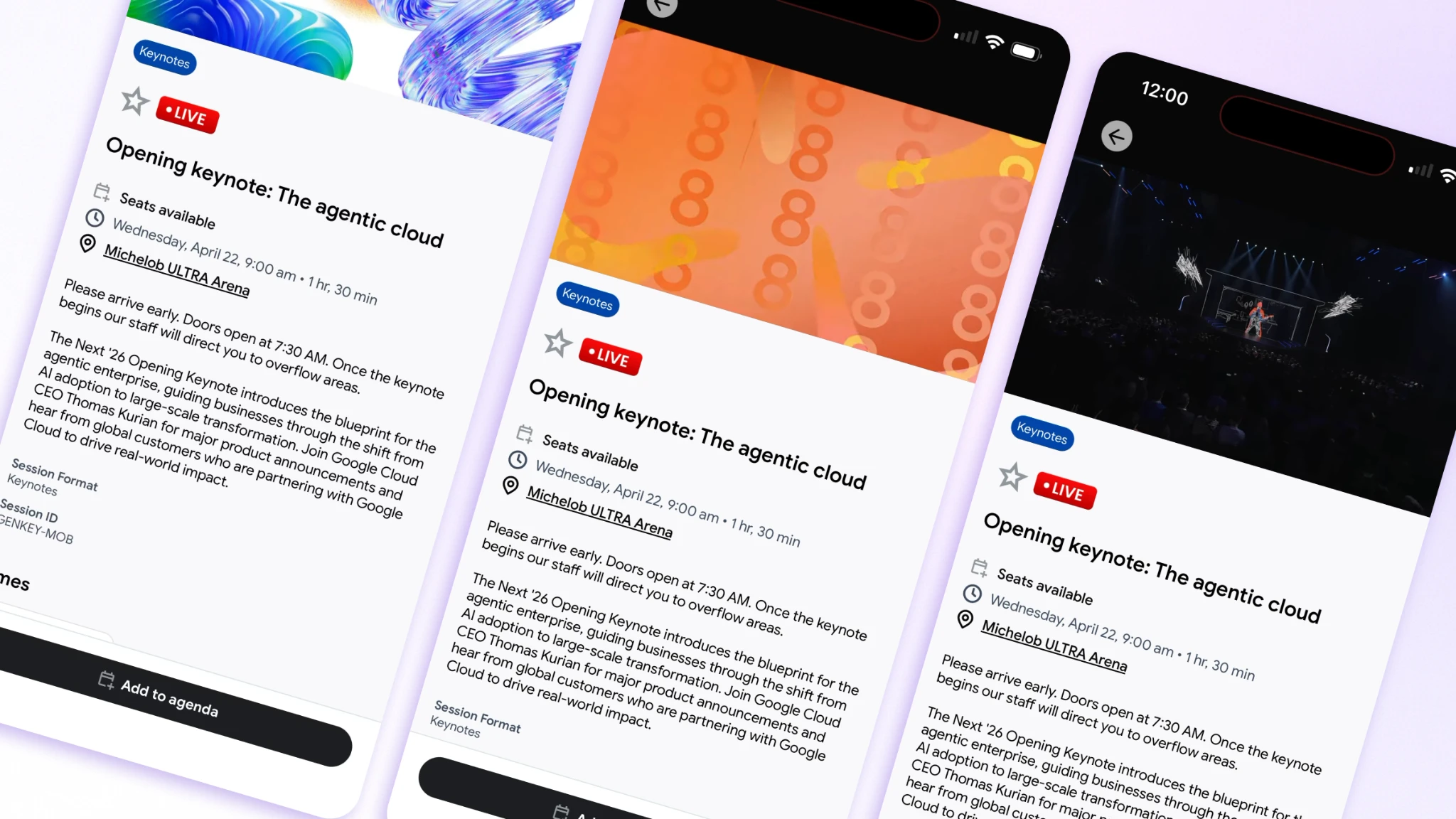
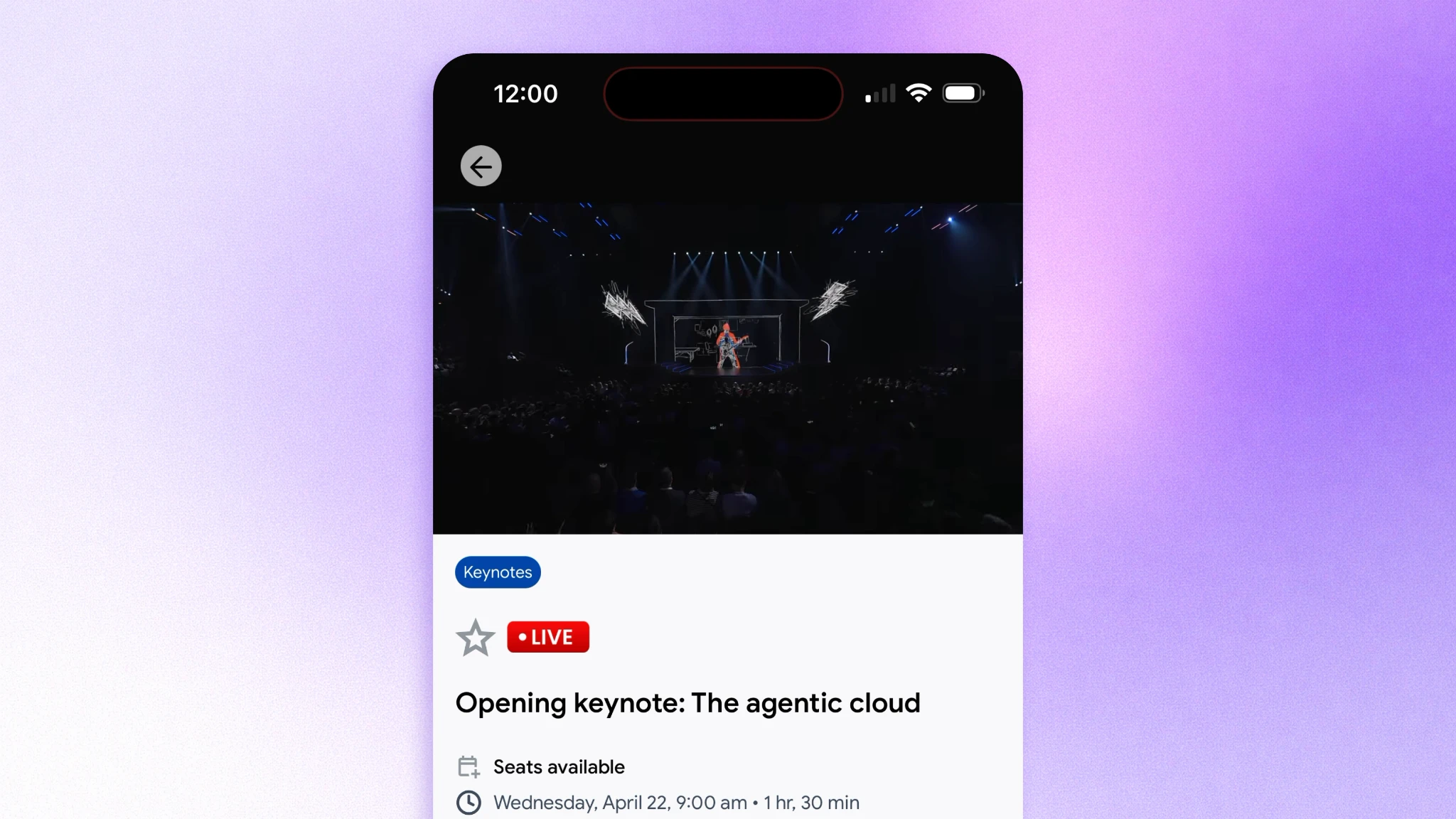
Live session access inside an event app typically works by embedding a streaming link directly into the session record. An attendee opens the session in the app, sees the live stream playing, and can follow along from wherever they are, whether that's a different breakout room, the hallway, or back at the hotel.
Done well, this means the app already knows which sessions are happening right now. The Library and Agenda screen becomes the central place to see what's live, what's coming up, and what you've already added to your personal schedule. Attendees aren't hunting through a browser or looking for a separate streaming link sent over email. It's all in one place.
For hybrid events, this becomes even more important. Remote attendees need the same access to live content as the people in the room. An event app that handles this well lets virtual attendees follow the full program without feeling like a second-class participant.
On-Demand Replay: Turning One Day Into Ongoing Value
The session ended. The speaker stepped off stage. Does the content disappear?
For most events running on legacy tools, the answer is effectively yes. A recording gets uploaded somewhere eventually, if at all, and finding it later requires digging through email archives or remembering to check a website that's already moved on to promoting the next event.
On-demand session replay, built into the event app itself, solves this cleanly. Once a session recording is available, it shows up right inside the same session record attendees already have in their schedule. The context is intact: speaker bio, session description, related sessions, any Q&A that happened during the live run. Attendees can watch at their own pace, on their phone, without starting from scratch.
This extends the lifespan of your event content in a real way. An attendee who caught half a session before their meeting overran can go back and watch the rest. Someone who chose the other session at that time slot can now catch up. Attendees traveling home on a red-eye suddenly have something genuinely useful to watch.
It also means the event doesn't end at the closing keynote. Content that lives in the app keeps people coming back to it, and that sustained engagement is something sponsors notice too.
Engagement Doesn't Stop When the Session Ends
Here's something worth thinking about: the session was great. The speaker made a point that sparked a question. The attendee wanted to follow up, connect with someone who asked a similar question during Q&A, or share a slide with a colleague.
If the event app is just a video player, that's where the experience stops.
But a capable event app keeps the engagement layer intact around session content. Live polls and Q&A run during the session and give attendees a way to participate even when they're watching from a different room. Push notifications can alert attendees when a session they bookmarked is about to go live. Surveys after a session close the feedback loop while the content is still fresh.
Amego's engagement tools are built directly into the app alongside session content, so the Q&A, polls, and news feed aren't separate features the attendee has to find. They're right there, connected to the session they're watching. That integration changes how engaged people actually are, because the friction between "I want to participate" and "I found the place to participate" disappears.
What Organizers Gain When Sessions Live Longer
The attendee benefit is obvious. But organizers gain something here too, and it's worth naming.
Better data on what content actually resonated. When sessions are watched live and on demand inside the app, you can see which ones got the most replays, which ones had the highest Q&A participation, which ones attendees added to their personal agenda. That signal is far more useful than a headcount at the door.
Stronger sponsor placements. Session content that lives in the app for days or weeks after the event gives sponsors visibility beyond the live moment. A "Presented by" placement on a session that gets replayed 300 times is worth considerably more than one that's gone as soon as the speaker leaves the stage. Organizers who understand this can build it into their sponsor packages in a way that's easy to defend at renewal time.
A more defensible content strategy. Events that produce high-quality session content and make it genuinely accessible are building something that lasts. Attendees recommend these events to colleagues. They come back next year with more people. The event becomes known for the quality of its programming, not just its production value.
What to Look for in an Event App for Session Viewing
Not every event app handles this the same way. When evaluating whether a platform actually delivers on live and on-demand session viewing, these are the questions worth asking.
Is the video embedded in the session record, or does it link out? An app that redirects attendees to YouTube or Vimeo breaks the experience. The best apps keep attendees in one place.
How fast do real-time updates reach the attendee? Session changes are inevitable. The app needs to surface them immediately, not eventually.
Is on-demand content in the same place as the live content? If attendees have to go somewhere else to find recordings, most of them won't. The library and the agenda should be one unified experience.
Can engagement features run alongside the stream? Polls, Q&A, and surveys tied to a live session turn passive viewing into active participation. That only works if the app was built for it.
Does the organizer have control over content visibility? Some sessions shouldn't be available on demand, or should only be available for a limited window. The platform needs to support that.
Amego's Library and Agenda is built around a single-hub model where session content, live streams, on-demand recordings, speaker information, and personal agendas all live in the same place. For organizers who want attendees to actually use the app, that coherence matters more than almost anything else.
The conflict problem that every attendee knows isn't going away. But the expectation that they have to just accept it is already gone. Event apps that handle live and on-demand content well give people back something they've always wanted: the ability to get more out of an event than any one schedule allows.
Ready to see how Amego handles session content from live to on-demand? Schedule a demo.

Sign up for our newsletter
Get insights delivered to your email.