

Guide Every Attendee Before the Event Even Begins.

Sidekick Spark is the fastest way to give your attendees a smart, personalized event experience. Embed it on your existing site with one line of code. No app download. No implementation project. Free to try.
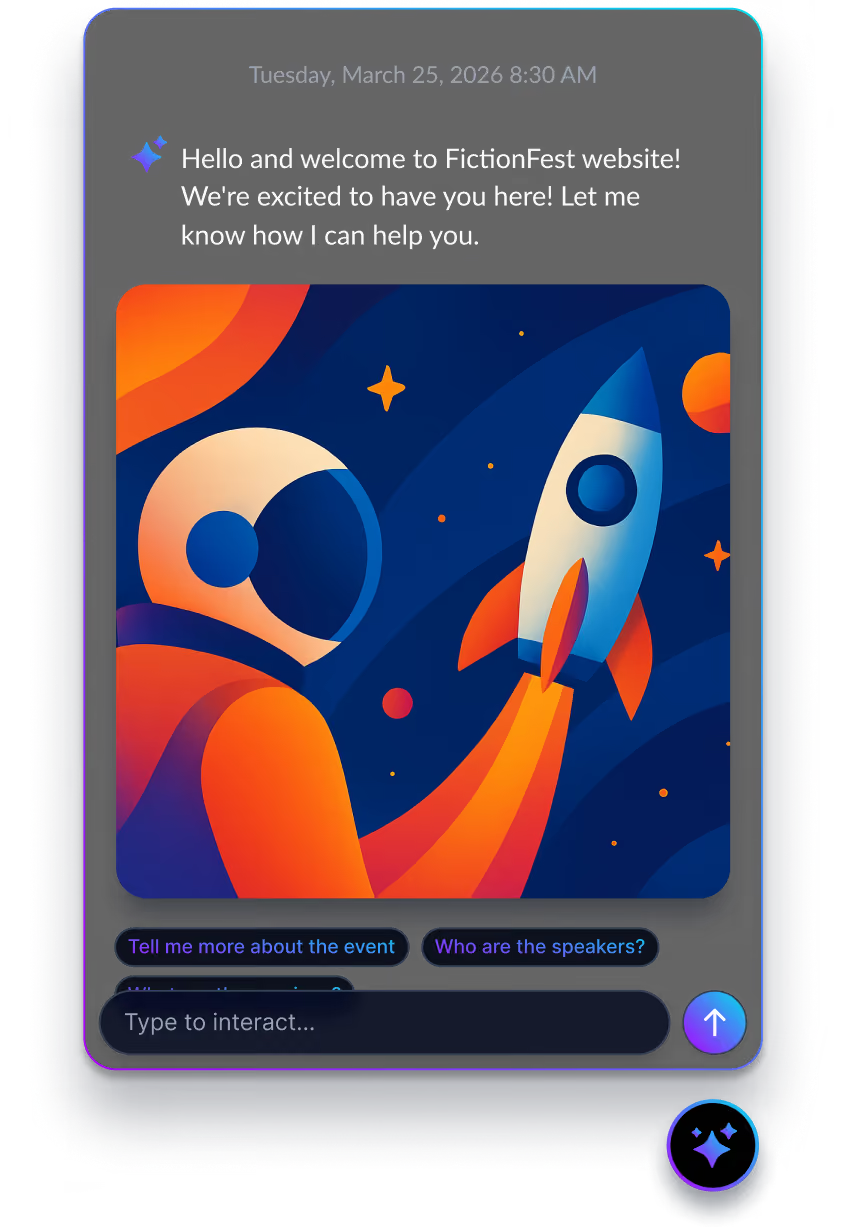

Mobile app screen showing FictionFest'25 welcome message, date March 25, 2026, a colorful planet with rings and rocket illustration, and agenda navigation.

Chatbots answer questions. Sidekick drives your event experience.
Sidekick Spark isn't rules-based. It understands your specific event: sessions, schedules, speakers, venues, policies. It gives every attendee answers that feel thoughtful, not canned. That's the difference between a tool and a companion.
More than just answers.
Attendees arrive with questions — which sessions to attend, where to go, what to bring. Spark doesn't just answer them. Spark points each attendee to what matters for them: the right sessions, the prep they need, the next thing to do. Not keyword matching. Not generic FAQ links. Guidance that knows your event.
No heavy lift. No lengthy implementation. No waiting on developers.
Add one embed code, with about the same technical effort as adding a Google Analytics tag. Spark works with Squarespace, Webflow, WordPress, or any custom-built site. Most teams can get it running in under 10 minutes.
Already using an event app? Spark fills the gap.
Spark covers the pre-event window your mobile app doesn't touch: the 6-8 weeks when attendees are on your website and the app hasn't been downloaded yet. It creates continuity across the attendee journey, giving attendees a consistent experience from website to the mobile app onsite.
Shared Credits. Every Spark conversation draws from the same AI credit pool as mobile Sidekick. One balance across your website and your app - no separate billling.
60%+
Reduction in pre-event support tickets reported by event teams
< 10 min
Average time from sign-up to live widget on your event site
1,000
Free credits to start — enough for a real first event, no card required
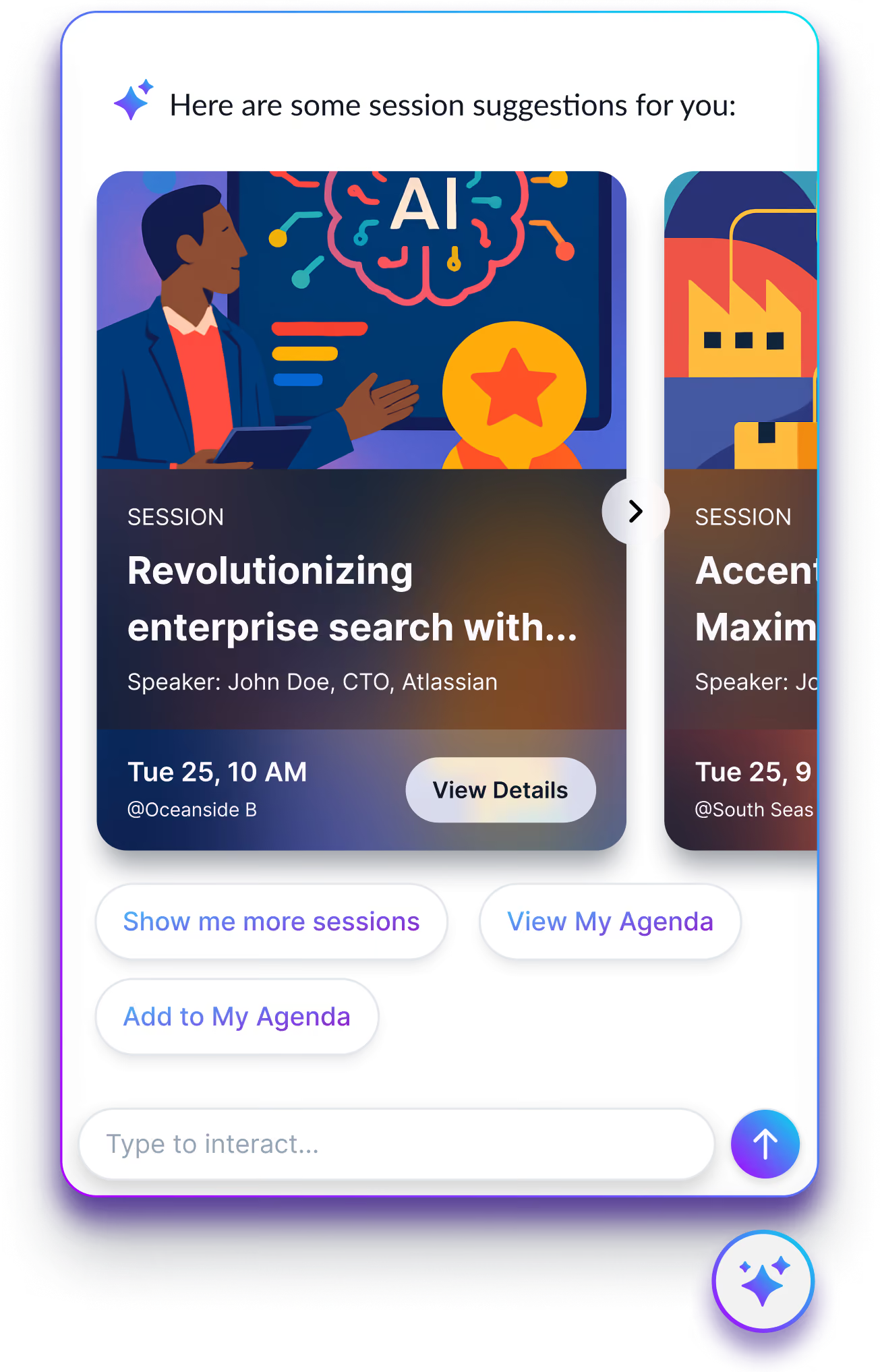
Sidekick chat widget offering session suggestions and adding them to My Agenda

Your Attendees Deserve More Than a Static FAQ.

Attendees land on your event website weeks before showtime with real questions. Right now, they either dig through a static FAQ, email your team, or give up. That's not a small problem. It's the first impression your event makes. Spark turns that missed window into your best attendee touchpoint.

Trained on your event, not the internet
Spark learns your agenda, speakers, venue details, policies, and FAQs. It answers with confidence because it was built for your event, not a generic knowledge base. Upload a PDF, paste text, or connect a URL. Spark handles the rest.
Captures the highest-intent moment
Your website gets its biggest traffic spike in the 6-8 weeks before the event. Right now that window goes to waste. Spark turns it into a concierge experience that sets the tone for your entire event, before attendees ever walk in the door.
Consistent at any scale
Whether it's the first attendee or the ten-thousandth, Spark gives the same excellent answer. No inconsistency. No support queue. No burned-out event team. Built for events at the scale of Dreamforce. Ready for yours.
Dramatically fewer support emails
The questions that flood your inbox every cycle — Spark handles them automatically. Most teams report a 60%+ reduction in pre-event support volume. Your team can focus on running the show.

Start Simple. Grow As Your Events Do.

Start with Spark on your event website. From there, grow into mobile Sidekick and full agentic guidance as your events do. AI features aren't gated by tier, so you switch on what you want, when you want them. And it all runs on one shared AI credit pool across every event and Sidekick feature.
Event Mobile App
Schedules, sessions, and attendee networking without AI.
Sidekick Spark Event Website AI Embed
AI event companion widget that lives on your event website. Answers attendee questions before the event begins. Live in under 10 minutes.
Sidekick AI as Mobile App Home Screen
Power your event mobile app with intelligence like proactive nudges, real-time recommendations, and sponsor matching via Sidekick Now & Orchestrate.
Fully Agentic
Beacon-aware location intelligence via Sidekick Here (Crowd Connected), full agenda orchestration, and sponsor CRM integration.

Live On Your Site in Three Steps

No developers. No onboarding calls. No approval cycle. Decide this morning, live by lunch. First 1,000 AI credits included for free.
1
2
3
1
Create your event in Spark
Sign up, select your credit plan, and create an event. Sidekick GPT generates a Sidekick Spark for your event, with sensible defaults from day one.
2
Upload your event content
Drop in your agenda, speaker bios, venue details, and FAQs. Paste text, upload PDFs, or connect a URL. Spark learns your specific event and is ready to answer in minutes. You don't need everything perfect on day one.
3
Paste one embed code
One snippet on your event website the same way you'd add a Google Analytics tag or a Calendly widget. No IT involvement required. Your AI companion is live and every attendee who lands there gets instant, intelligent answers.

Every event app tells attendees what's happening. Sidekick tells them what to do next.
A chatbot waits to be asked. Sidekick Spark isn't built on a generic knowledge base. Spark is trained on your event and guides each attendee to what's next.
Capability
Trained on your specific event content
Understands natural language questions
Works alongside existing event app
Setup time
Free to start
Path to full AI event experience
Sidekick Spark
Yes, your agenda, speakers, FAQs, venue
AI-powered, any question format
Cvent, Bizzabo, Swoogo, and other platforms.
Under 10 minutes
1,000 free credits, no card
Clear upgrade to Launch & Frontier
Basic Chatbot
Generic rules-based responses
Partial — keyword matching only
Varies
Days to weeks
Rarely
Dead end
Static FAQ Page
Manual copy, no intelligence
Search or scroll required
Yes
Hours
Yes
Dead End
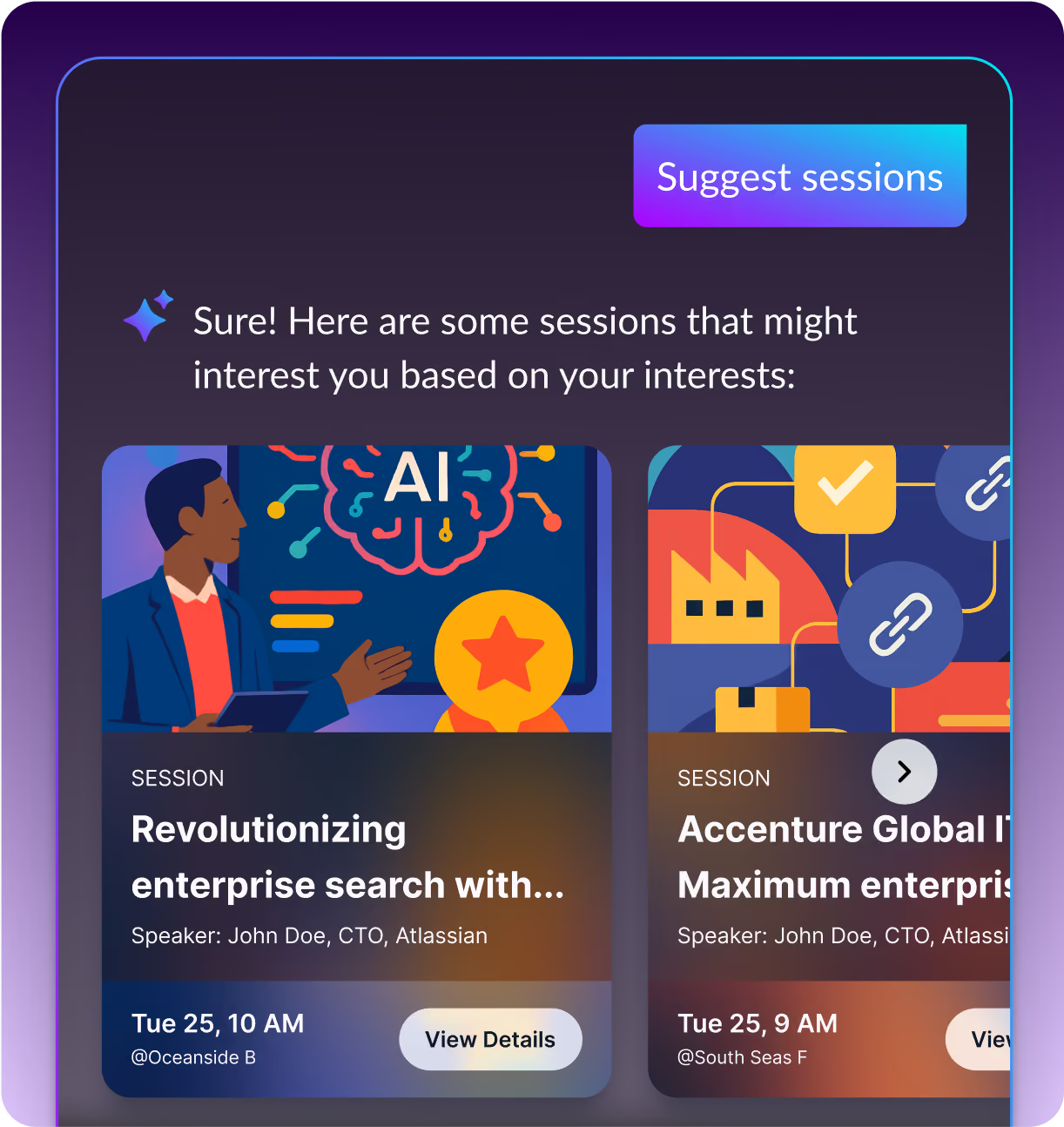
Sidekick suggesting sessions based on an attendee's interests

Why Sidekick Spark?

Trained on your event, not the internet
Spark learns your agenda, speakers, venue details, policies, and FAQs. It answers with confidence because it was built for your event — not a generic knowledge base. Upload a PDF, paste text, or connect a URL. Spark handles the rest.
Captures the highest-intent moment
Your website gets its biggest traffic spike in the 2–3 weeks before the event. Right now that window goes to waste. Spark turns it into a concierge experience that sets the tone for your entire event — before attendees ever walk in the door.
Consistent at any scale
Whether it's the first attendee or the ten-thousandth, Spark gives the same excellent answer. No inconsistency. No support queue. No burned-out event team. Built for events at the scale of Dreamforce. Ready for yours.
Dramatically fewer support emails
The questions that flood your inbox every cycle — Spark handles them automatically. Most teams report a 60%+ reduction in pre-event support volume. Your team can focus on running the show.

Spark helps attendees arrive prepared, confident, and ready to get more from your event.

Spark gives attendees personalized, event-specific guidance before they have to search, scroll, or ask.

Living directly on your event website, Spark works alongside your existing tech stack to help attendees:

Discover relevant sessions and speakers
Find sponsors, activations, and networking opportunities
Understand key event logistics and policies
Build a more intentional plan before they arrive
Uncover more of what your event has to offer

The result, a better pre-event experience for attendees and more visibility for everything your team has built.

Event Teams That Stopped Doing It The Hard Way

From agency producers running multiple client events to directors managing flagship conferences
“We put Amego through our full vendor security review, and they passed with flying colors. They’ve earned their place in our tech stack. And more importantly, they’ve earned our trust.” ‍
TS
Tara Shuert
Principal Events Manager, Cloudflare
"Our attendees rave about how easy it is to navigate, and my team loves that everything syncs with our event tech stack. What really stood out to me about Amego is how clearly it was designed by people who actually work in events."
TW
Tricia Williamson
Event Technology Director, Docusign
"Amego's dedication and support in ensuring everything ran smoothly made a significant difference. From the initial planning to the final execution, their professionalism and expertise were evident, and I truly appreciate their commitment to making our event a success."
SC
Sheryn Chan
Field Marketing Manager, Nutanix
FOR ENTERPRISE TEAMS
Running large-scale events?
See how Sidekick’s agentic AI can power your next flagship conference. We’ll walk you through a live demo tailored to your event program.
Schedule a Demo
FOR SELF-SERVE TEAMS
Ready in under 10 minutes
Start with Sidekick Spark. Free, no credit card, no IT required. Embed AI on your event website today and upgrade to the full platform when you’re ready.
Start Free with Spark

Frequently Asked Questions

What is Sidekick Spark?

Sidekick Spark is an AI-powered event companion that lives directly on your event website. It helps attendees find information, discover relevant content, and get personalized guidance before and during the event without requiring them to download an app.

How is Spark different from the chatbot we already have?

Traditional event chatbots typically wait for attendees to ask a question. Spark is designed to be more proactive, using event context to surface relevant information, recommendations, and next steps throughout the attendee journey.

Do attendees need to download an app to use Spark?

No. Spark is web-based, so attendees can access it directly from your event website. That makes it especially useful before the event begins, when attendees may not have downloaded or started using an event app yet.

When can attendees use Sidekick Spark?

Spark can support attendees before the event and continue helping them as the event gets underway. It can answer questions, surface important information, and guide attendees while they plan and navigate their event experience.

What kinds of questions can Sidekick Spark answer?

Spark can help attendees with event-specific questions about sessions, speakers, schedules, locations, logistics, registration information, and other content you make available within the experience.

How does Sidekick Spark personalize the attendee experience?

Spark can use attendee and event context to make its guidance more relevant. Depending on your setup, that can include information such as an attendee’s profile, agenda, interests, and where they are in their event journey.

What content does Spark need to get started?

Spark can get started with the event information you already have, including your website, agenda, session details, speaker information, FAQs, logistics, and other attendee-facing content. It can run effectively with this basic information from day one, then become even more useful and event-specific as you add more context. The more Spark knows about your event, attendees, and content, the smarter and more relevant its guidance becomes.

How long does setup actually take?

Spark is designed to be fast to launch. Event teams can add their event content, configure the experience, and get Spark ready without a lengthy implementation process. Exact setup time depends on the amount and complexity of your event content, but Spark is built for teams that want to launch an AI-powered attendee experience quickly.

Can Sidekick Spark work with my existing event website?

Yes. Spark is designed to extend the attendee experience on the web, allowing you to add AI-powered event guidance to the website or digital experience your attendees are already using.

We’re already using Cvent, Bizzabo, or Swoogo. Does Spark conflict with that?

No. Spark is designed to complement the event technology you already use, not replace your registration platform or event website. It adds an AI-powered attendee layer to the experience while your existing systems continue to manage registration, event data, and other core workflows.

How do credits work?

Spark uses credits based on usage of the AI experience. Your plan includes a set amount of usage, and credits are consumed as attendees interact with Spark. This gives event teams a flexible way to scale AI usage based on the size and engagement level of their audience.

What is the difference between Sidekick Spark and Sidekick in the Amego event app?

Both are part of Amego’s Sidekick experience, but they meet attendees at different points in the journey. Spark brings AI-powered guidance directly to the event website, while Sidekick within the Amego app supports attendees throughout the in-app event experience with deeper access to event and attendee context.

What happens when I outgrow Spark?

Spark is part of the broader Amego platform, so there’s a natural path to expand as your event needs grow. You can move beyond a web-based AI experience into a more complete attendee experience with the Amego event app, advanced personalization, engagement tools, networking, notifications, analytics, and Sidekick throughout the event journey.

How much does Spark cost?

You can try Spark for free with 1,000 included AI credits and no credit card required. After your free credits are used, Spark costs $499 per year, plus any additional AI credit usage. Learn more about pricing.

What do I get with the 1,000 free trial credits?

You get the full Sidekick Spark platform. No feature lockouts, no watered-down experience. 1,000 credits is enough for a real test event: approximately 80 attendees with basic session and speaker data.

No credit card is required to get started. You can upgrade when you're ready to continue using Spark.

READY TO LAUNCH?

Your Attendees Are Already On Your Website. Give Them Something Better.

Start Free
1,000 free credits to start
No credit card required
Any website
Live in under 10 minutes