
Getting attendees to download your event app is one thing. Getting them to actually use it, before, during, and after the event, is where most teams fall short. Event app adoption rates vary widely, but the gap between a high-adoption and low-adoption deployment almost always comes down to a handful of decisions made well before the event opens.
This guide covers why adoption matters, what gets in the way, and the specific tactics that drive meaningful improvement.
Why Event App Adoption Rates Matter
Low adoption doesn't just mean fewer people using the app. It means your investment in the platform isn't reaching the attendees who need it most. Every feature you've configured (schedules, push notifications, networking tools, live polling, sponsor visibility) delivers zero value to attendees who never download the app.
The downstream effects compound quickly. Sessions see lower Q&A participation. Networking opportunities go unmissed. Push notifications about schedule changes reach only a fraction of attendees. Sponsors get less visibility than promised. Post-event surveys see lower completion rates.
High event app adoption rates, by contrast, are a multiplier. An attendee who downloads and uses the app attends more sessions, makes more connections, engages more with sponsors, and rates the event more highly than one who doesn't. The ROI on the time spent driving adoption is consistently positive.
Common Reasons Attendees Don't Download the App
Before fixing adoption, it helps to understand why attendees don't download in the first place. The reasons fall into a few consistent patterns.
They didn't know it existed. This is the most common failure. Event communications mention the app once, in small print, near the bottom of the registration confirmation. Attendees don't internalize it, and by the time they arrive on-site it's an afterthought.
They didn't see the value. "Download our app to view the schedule" is a weak pitch when every attendee already has the schedule in their email. The app's value needs to be communicated in terms of what attendees can do, not what they can view.
The download experience created friction. A slow onboarding flow, a required profile with too many fields, or an app that doesn't load the first time will lose attendees before they ever reach the useful features.
They assumed they'd figure it out on-site. Some attendees deprioritize app setup, planning to deal with it at registration. This is where on-site setup support and registration-linked incentives matter.
The app wasn't ready when they were. If the app is released too close to the event, attendees who receive early communications can't download it yet. The window for pre-event adoption closes before it opens.
How to Drive Pre-Event App Downloads
Pre-event downloads consistently produce better outcomes than on-site downloads. Attendees who set up the app in advance (building a schedule, browsing other attendees, updating their profile) arrive with investment already established.
Release the app early. Three to four weeks before the event is the right window for most conferences. Earlier gives more time for organic adoption; much later compresses the pre-event engagement window to nothing. Make sure the core content (agenda, speakers, sponsors) is populated before the app goes live.
Lead with value in every communication. The first email promoting the app should answer a single question: "What will I be able to do that I couldn't otherwise?" Frame it around the attendee experience: finding the right sessions, connecting with speakers, getting real-time updates if anything changes. See how other teams have positioned this to drive higher download rates.
Make the download step easy. Include a QR code in every communication. Don't make attendees search the app store by name. Test the download and onboarding flow on both iOS and Android before the first email goes out.
Use your speakers and sponsors. Speakers who mention the app, in their pre-event social posts, in event communications, carry credibility that organizer emails don't. A sponsor whose profile lives in the app has an incentive to drive downloads too. Both are underused levers.
Set expectations about what's exclusive to the app. If networking features, live Q&A, last-minute schedule updates, and session ratings are only available in the app, say so clearly. FOMO is a legitimate driver, so use it.
Send a dedicated setup email. Not an email that mentions the app alongside seven other things. A single email, with a clear subject line, focused entirely on "Here's how to get the most out of the app before you arrive." Three to five days before the event, when registration is top of mind.
In-Event Tactics to Increase Usage
For attendees who haven't downloaded before arrival, and for those who downloaded but haven't engaged, on-site tactics can meaningfully move the needle.
Staff the app at registration. Have one person at the registration desk whose job is to help attendees download and set up the app. This doesn't require a separate station. It's a ninety-second interaction that pays dividends across every session.
Use the opening keynote. The opening keynote is the highest-attention moment of the event. A thirty-second mention from the main stage, with a QR code on screen, reaches everyone who's there. If the app includes live polling or audience Q&A, demonstrating it live in the first session shows the value in real time.
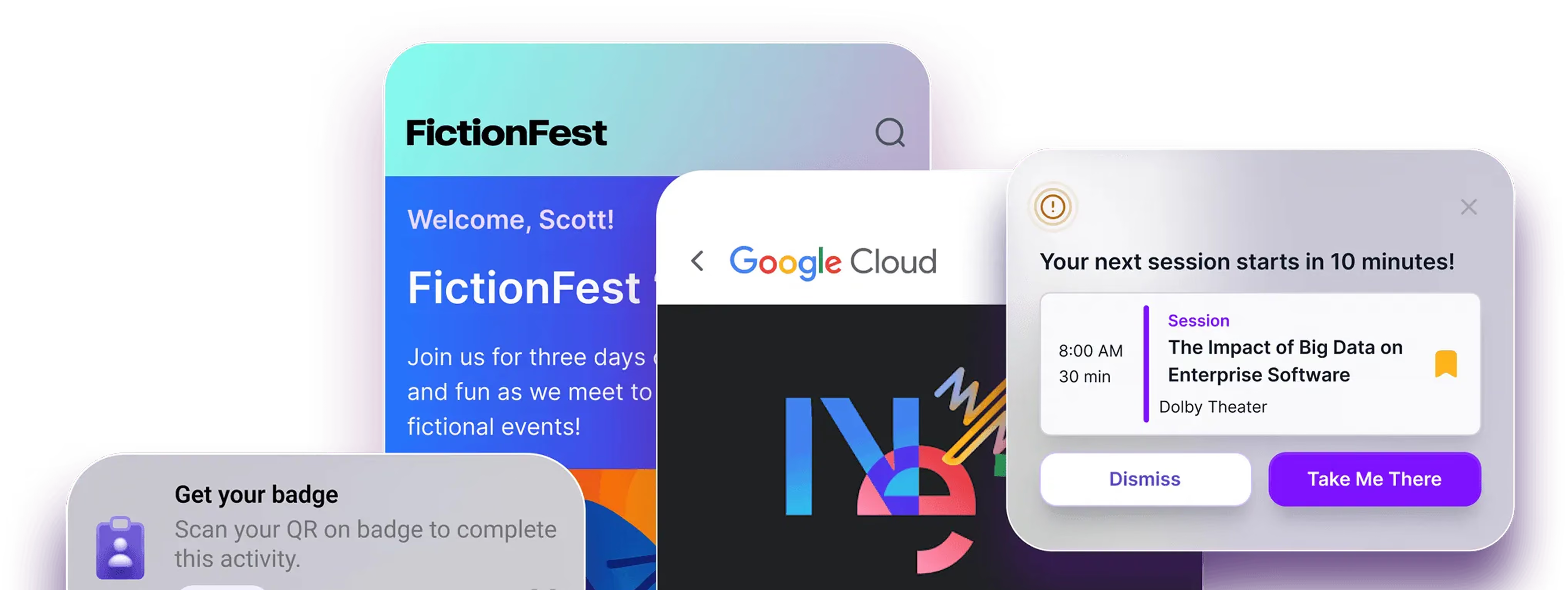
Push notifications earn attention, but only if used well. Don't push generic reminders. Push useful, time-sensitive information: "Session in Room B is starting in 10 minutes. 8 seats left." "Speaker Q&A is open now. Submit your question in the app." These notifications pull attendees into the app for a reason, which is how habit forms.
Make the app useful for things attendees are already doing. Navigation is one of the highest-used features at any event. Make sure venue maps, session locations, and exhibitor floor plans are in the app and accurate. If attendees rely on the app for wayfinding once, they're much more likely to use it for everything else.
Recognize app engagement publicly. Leaderboards, gamification features, and public recognition for attendees who are active in the app creates social proof. When attendees see peers competing for points or badges, the app becomes part of the event's social fabric rather than an optional utility.
How Amego Supports Higher Adoption Rates
Amego's platform is designed with adoption in mind, not just features, but the experience of getting attendees into those features and keeping them there.
A fully branded mobile event app. Custom-branded apps drive meaningfully higher download rates than generic white-label alternatives. When the app looks like the event attendees registered for, it signals quality and legitimacy from the first touchpoint. Amego's apps are branded to the event, not a template with a logo dropped in.
Sidekick™ AI companion. Sidekick™ gives attendees a reason to engage that goes beyond a digital program guide. It helps them navigate the event, discover sessions aligned to their interests, and find connections worth making. That kind of active value turns a one-time download into repeated engagement throughout the event.
Frictionless onboarding. The setup experience determines whether attendees complete onboarding or abandon it. Amego's attendee onboarding is designed to get people into the core value of the app (schedule, networking, session engagement) as quickly as possible, without unnecessary fields or screens.
Gamification via Quest. Amego's Quest feature creates event-wide engagement challenges that reward attendees for using the app to do things they'd want to do anyway: attend sessions, visit sponsors, make connections, complete surveys. Quest has a consistent effect on adoption and engagement depth because it gives attendees a reason to return to the app throughout the event.
Real-time push notifications. Amego Admin lets your team send targeted, time-sensitive notifications without developer support. This means the on-site team can respond to what's actually happening (a session moved to a different room, an unexpected speaker addition, a networking opportunity) rather than pushing generic reminders on a pre-set schedule.
FAQs
What's a good event app adoption rate?
Strong adoption rates vary by event type and size, but for professional conferences, 70–85% of registered attendees downloading the app before or during the event is a reasonable target. Events with strong pre-event communications, early app releases, and branded apps consistently outperform this baseline. On-site adoption efforts can push rates higher, but pre-event engagement is the more reliable driver.
When should I release the event app?
Three to four weeks before the event is the recommended window. This gives enough lead time for pre-event engagement while keeping the content current and relevant. Releasing earlier without sufficient content (agenda, speakers, sponsors) reduces the incentive to download and explore.
How do I get attendees who don't download the app on-site?
The most effective on-site tactic is dedicating a staff member at registration to app setup, not as a separate station, but as part of the check-in interaction. A QR code on prominent signage and a mention from the main stage at the opening session are the two highest-reach options. Incentivizing early setup (early access to networking features, entry into a contest) also moves the needle.
Does gamification actually improve adoption?
Yes, consistently. Gamification features that reward attendees for actions they'd value anyway, like connecting with speakers, visiting sponsors, and attending sessions, create a reason to open the app multiple times rather than once. The key is tying points and rewards to meaningful behaviors rather than arbitrary clicks.
How does app branding affect adoption?
Significantly. Attendees are more likely to download and trust an app that reflects the event's brand than a generic platform with a logo swap. Custom-branded apps signal investment in the attendee experience and are more shareable. Speakers and sponsors are more likely to promote an app that looks credible.

Sign up for our newsletter
Get insights delivered to your email.