Blogs
Event Apps

Enterprise Event Apps: The Complete Buyer's Guide

October 20, 2026
/
8
min read

‍

Choosing an enterprise event app is one of the highest-stakes decisions an event team makes. The platform you pick shapes the attendee experience, carries your brand through every tap, holds sensitive attendee data, and either plays nicely with your tech stack or quietly breaks it. Get it right and the app becomes the central nervous system of your conference. Get it wrong and you spend showtime fielding Slack messages about login screens.

This buyer's guide is for enterprise event marketers, event ops leads, and procurement teams evaluating a mobile event app for conferences, user summits, trade shows, or internal kickoffs. We cover the 12 criteria that actually matter at enterprise scale, the questions to ask every vendor, and a checklist you can take straight into a vendor review. If you are here for numbers, jump to what an enterprise event app costs.

This guide is built for RFPs and vendor reviews. If you want a wider comparison of platforms first, start with our guide to the best event apps of 2026 or the best event apps for conferences and corporate events. For the evaluation process itself, read how to choose an event app for a large conference, and for the basics see how to choose an event app for conferences.

What Is an Enterprise Event App?

An enterprise event app is a mobile and web platform built to support large, complex event programs. It handles thousands to tens of thousands of attendees, multi-track agendas, sponsors and exhibitors, networking, communications, lead capture, and analytics in one branded experience.

What separates an enterprise event app from a basic event app is not the feature list on the marketing page. It is the way the platform behaves under real conditions: traffic spikes after a keynote, last-minute room swaps, security reviews, regional data residency, SSO, and the twelve other things that quietly determine whether your event runs smoothly.

Enterprise buyers typically need:

  • Scalable infrastructure that holds up during peak load
  • SOC 2 Type II, GDPR, and often regional compliance
  • Deep integrations with registration, CRM, SSO, and marketing automation
  • Complex agenda management with tracks, capacity, waitlists, and segmentation
  • A fully branded, white-labeled attendee experience
  • Analytics granular enough to prove ROI to the business
  • A support model that includes real humans before, during, and after showtime

Why Enterprise Teams Need a Purpose-Built Event App

Enterprise conferences operate at a different level of complexity than mid-market events. A single flagship conference can involve 20,000 attendees across six tracks, 300 sponsors, 150 sessions, three keynote stages, a trade show floor, and regional satellite events. Generic event apps built for 500-person meetups will not survive that load, and they rarely clear enterprise security review.

A purpose-built enterprise event app is designed around three realities that smaller platforms often ignore:

  • Scale is nonlinear. Doubling attendees does not double load. It multiplies concurrent sessions, push notification volume, networking requests, and support tickets.
  • Brand is the product. At enterprise scale, the app is a brand surface. Attendees judge the company by its typography, color system, and polish, not just by the sessions.
  • Everything integrates with everything. Registration, CRM, SSO, marketing automation, badge printing, lead scanning, wayfinding, and internal AI tools all have to talk to the app without manual CSV uploads.

The 12 Criteria for Choosing an Enterprise Event App

Enterprise RFPs often run to 200 questions. Most of them come down to the same twelve areas. Use these as the backbone of your evaluation.

1. Scalability

Scalability is the foundation. Everything else is a nice-to-have if the app crashes after the opening keynote.

What to look for

  • Cloud-native, autoscaling infrastructure on a major provider (AWS, Google Cloud, Azure)
  • Published performance benchmarks under real load, not synthetic tests
  • Offline functionality so attendees can view agendas and session details when venue Wi-Fi gives out
  • Multi-region hosting for global events
  • A real track record at your event size, with named customer references

Questions to ask

  • What is the largest single event you have supported, measured in concurrent users and total screen views?
  • What happens during a traffic spike after a keynote?
  • What is your uptime SLA, and what does the credit structure look like?

Whatever vendor you consider, ask for named references at your event size. Amego's enterprise customers include Atlassian, which runs 20+ global events on one app, and Cloudflare. For the product overview, see Amego's mobile event app page.

2. Security and Compliance

Security review is where a lot of event app deals die. Enterprise buyers need a vendor that passes the standard checklist on the first pass, not after six weeks of back-and-forth with InfoSec.

What to look for

  • SOC 2 Type II report, available under NDA
  • GDPR and CCPA compliance, with clear data processing agreements
  • Regional data residency options for EU and APAC events
  • Single sign-on (SSO) via SAML or OIDC, with support for Okta, Azure AD, Ping, and Google Workspace
  • Role-based access controls in the admin
  • Clear data retention and deletion policies
  • Penetration testing cadence and vulnerability disclosure process

Questions to ask

  • Can you share your most recent SOC 2 report and pen test summary?
  • Where is attendee data stored, and can we choose the region?
  • How do you handle sensitive attendee data for executive briefings or closed sessions?

Amego is SOC 2 Type II audited and aligned with GDPR requirements, and SSO is available as an add-on. Full details are on the security and compliance page, which links to Amego's trust center. Ask any vendor, Amego included, for the documents themselves.

3. Integrations

An enterprise event app does not live alone. It sits in the middle of a stack that already includes registration, CRM, SSO, marketing automation, and often a half-dozen internal tools.

What to look for

  • Bi-directional registration integrations (Cvent, RainFocus, Bizzabo, Swoogo, custom)
  • CRM connectors for Salesforce, HubSpot, and Microsoft Dynamics
  • Marketing automation support (Marketo, Pardot, HubSpot, Eloqua)
  • SSO through SAML and OIDC
  • Open REST APIs and webhooks for custom workflows
  • Sponsor lead flows that push directly into Salesforce or the client's CRM

Questions to ask

  • Which integrations are native, and which require middleware?
  • What does the attendee sync cadence look like, and can it run in near real time?
  • Do you support custom login flows and internal AI tools?

Amego integrates with registration and event management platforms including Cvent, Swoogo, and RainFocus, and connects with CRM and other internal tools. Our integrations page has the current list.

4. Complex Agenda Support

Enterprise agendas are rarely simple. A single conference might have ten tracks, breakout sessions with capacity limits, invite-only executive briefings, and last-minute room swaps.

What to look for

  • Multi-track agenda support with filtering by track, format, audience, and language
  • Session capacity limits, waitlists, and reserved seating
  • Audience segmentation so sessions appear only for the attendees who should see them
  • Real-time agenda updates that reach every device without a resubmission to the app store
  • Personalized schedules that let attendees build and share their own agenda

Questions to ask

  • How quickly do agenda changes propagate to attendee devices?
  • Can we hide or show sessions based on attendee type (sponsor, press, VIP, employee)?
  • What happens when a session fills up?

Amego's agenda and content library supports multi-track agendas, and organizers update content from Amego Admin while the event is live. For a deeper look at agenda functionality, read our rundown of the top 10 features of an event agenda builder.

5. Personalization

At enterprise scale, personalization is the difference between an app that gets opened once and an app that becomes the attendee's conference command center.

What to look for

  • Personalized agendas based on attendee role, interests, and registration data
  • Session, sponsor, and attendee recommendations
  • Audience-specific home screens and content
  • Content gating by attendee segment
  • Personalized push notifications and in-app nudges

Questions to ask

  • How does the app decide what to show which attendee?
  • Can we build audience segments without a developer?
  • How quickly can we send a targeted notification to one segment during the event?

Amego lets event teams send targeted push notifications to specific audiences, and Sidekick personalizes schedules and recommendations for each attendee.

6. AI Capabilities

AI is where the event app category has shifted most in the last two years. The useful question is not whether a vendor markets AI. It is whether the AI does something concrete for the attendee or the event team.

What to look for

  • An in-app AI companion that attendees can actually use (ask a question, get a session recommendation, save a seat, find a coffee)
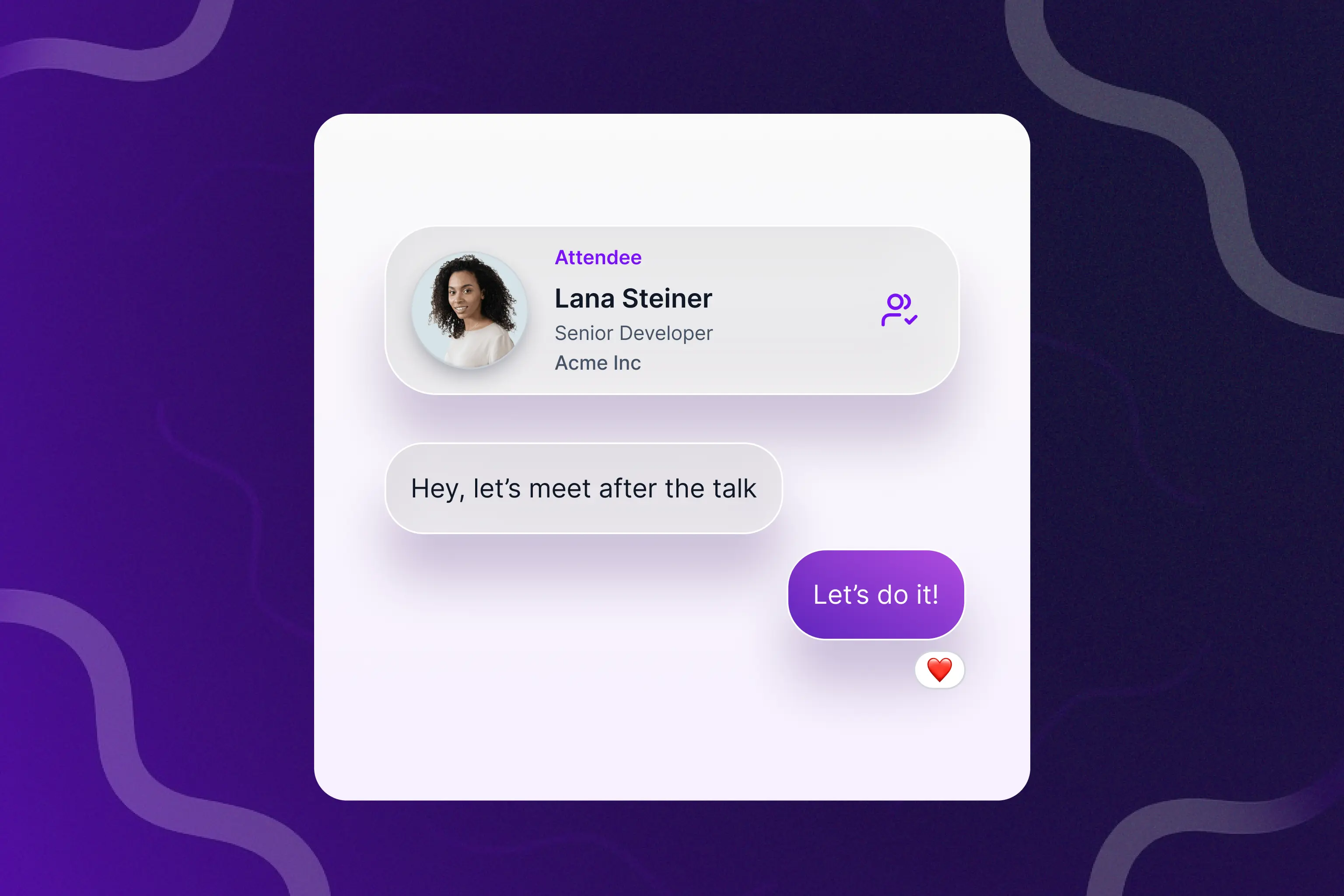
  • AI-powered matchmaking for networking and sponsor meetings
  • Just-in-time nudges rather than batch notifications
  • Bring Your Own LLM support if your security team requires it
  • Clear data handling: where attendee queries go, what gets logged, and what gets used for training

Questions to ask

  • What does the AI do for a first-time attendee that a search bar cannot?
  • Can we use our own LLM and keep attendee data in our own environment?
  • What data does the AI see, and what does it store?

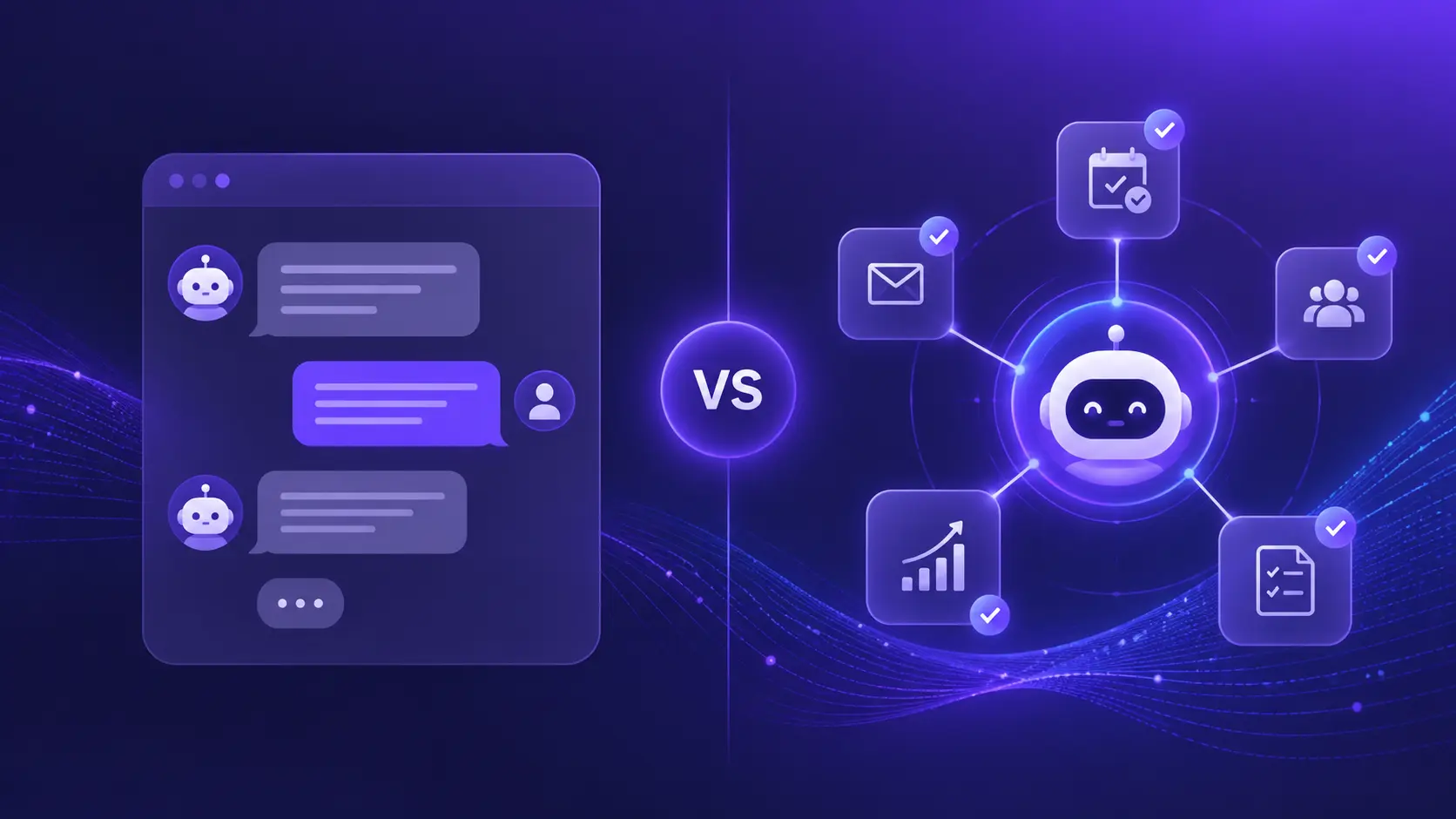
Amego's Sidekick is an agentic AI layer built into the attendee experience. It builds personalized schedules, matches attendees with people, sessions, and sponsors, helps with wayfinding, and sends just-in-time nudges. Enterprise customers can connect their own ChatGPT, Gemini, or Claude deployment for data privacy and control. Learn more in our guide to AI-powered event apps.

7. Branding and White-Labeling

At enterprise scale, the event app is a brand surface. If it looks like a template, so does the event.

What to look for

  • Full white-labeling: the app appears under the client's brand, not the vendor's
  • Custom icons, color systems, typography, and splash screens
  • Branded screens for sponsors, speakers, exhibitors, and networking
  • App Store and Google Play listings under the client's brand
  • Design support for teams without an in-house designer

Questions to ask

  • Can we publish the app under our own developer accounts?
  • How deeply can we customize the look and feel without a developer?
  • Do you offer design services if we need them?

Amego Classic and Sidekick both ship as fully branded experiences, customizable through Amego Admin. Teams that want design help can bring in Amego Studio for custom work on screens, icons, and sponsor assets.

8. Localization and Multi-Region Support

Global events need an app that speaks the attendee's language, respects regional data rules, and runs close to the venue.

What to look for

  • Multi-language support in the app UI and content
  • Right-to-left language support where relevant
  • In-region hosting (US, EU, APAC)
  • Regional compliance (GDPR for EU, local requirements for APAC)
  • Localized push notifications and content delivery

Questions to ask

  • Which languages are supported out of the box, and how do we add more?
  • Can content be translated per audience segment?
  • Where will attendee data physically live?

Amego offers built-in translation and localization for international audiences. If regional data residency is a requirement, ask any vendor, Amego included, for specifics in writing before you sign.

9. Analytics and Reporting

Analytics is how event teams prove ROI to the business and sell next year's sponsorship. An enterprise event app should give you the data to answer the questions your CMO and CFO will ask.

What to look for

  • App analytics down to the screen: downloads, unique visitors, visits per screen, broken down by day and segment
  • Session attendance, dwell time, and engagement metrics
  • Networking and meeting analytics (connections made, meetings booked)
  • Sponsor and exhibitor engagement data
  • Lead retrieval analytics for sponsor ROI
  • Export to BI tools (Looker, Tableau, Power BI) or data warehouse

Questions to ask

  • What data can we export, and in what format?
  • How do you measure sponsor ROI?
  • Can we see engagement by audience segment, not just overall?

Amego gives event teams visibility into every screen in the app with downloads, content counts, unique visitors, and visits broken out by day. Pair that with gamification participation data and lead retrieval analytics, and sponsor renewal conversations get a lot easier.

Sponsors fund the event. Sponsor tools in the app should make the sponsorship worth more than a logo on a slide.

What to look for

  • Branded sponsor profiles and virtual booths
  • Lead scanning for in-booth badge capture
  • Direct meeting booking between attendees and sponsors
  • In-app ad placements and sponsored push notifications
  • Sponsor-tier gating so premium sponsors get premium placement
  • Real-time sponsor dashboards for their own ROI reporting

Questions to ask

  • How do sponsors capture and qualify leads in the app?
  • What reporting do sponsors get, and how fast?
  • Can we gate features by sponsor tier?

Amego supports sponsor profiles, lead scanning for badge capture, meeting booking, and in-app placements. More on the sponsor experience is on our sponsors and exhibitors page.

11. Support and Service Model

Enterprise events do not fail on features. They fail on support. The right partner is one that answers the phone at 6 a.m. the day of the keynote, not one that opens a ticket.

What to look for

  • Named account team, not a shared inbox
  • Dedicated solutions architect for implementation
  • Dedicated customer experience lead for ongoing partnership
  • Onsite support options for flagship events
  • Weekly syncs during the build phase and real-time Slack or Teams access during the event
  • Clear SLAs on response and resolution

Questions to ask

  • Who is on our account team, and how do we reach them during the event?
  • Do you offer onsite support?
  • What is your average implementation timeline for an event our size?

On G2, Amego has 100% scores for Quality of Support and Ease of Doing Business With in the Summer 2026 report. Standard support is included with every plan, and Signature and Premier support are optional add-ons priced for your event mix. Atlassian's team said that with Amego, security review "was smooth sailing."

12. Pricing and Total Cost of Ownership

Headline pricing is almost never the full story. Enterprise buyers should think about total cost of ownership across the lifecycle of the event program, not just the first invoice.

What to look for

  • Transparent pricing by event size, number of events, or program
  • Clear separation between platform, services, and add-ons
  • Pricing that scales with your program, not per-attendee gotchas
  • No charges for standard integrations, SSO, or basic branding
  • Multi-event or portfolio pricing for programs that run many events a year

Questions to ask

  • What does the first-year cost look like, including implementation?
  • Which features sit behind higher tiers or add-ons?
  • What does year-two renewal look like if we expand to more events?

Amego publishes its plan pricing so you can model a budget before a sales call. The next section breaks down what an enterprise event app costs, what drives the price, and how to budget. You can also see the pricing page.

How Much Does an Enterprise Event App Cost?

Enterprise event technology is typically priced from around $5,000 to several hundred thousand dollars a year, according to Capterra's pricing guide. Where you land depends on attendee volume, the number of events you run, integrations, security requirements, and the level of support. Amego's published plans start at $2,499 per year, and Enterprise is quoted for larger programs.

That range is wide because there is no standard way to price an enterprise event app. Some vendors charge per event, some per registrant, and some by annual subscription. Quotes only become comparable once you convert them to the same unit, which we cover below.

Enterprise Event App Pricing Models

Four pricing models cover most of the market.

Pricing modelHow it worksWorks best forWatch for
Per eventOne fee for each event, scaled by attendees and featuresOne or two flagship events a yearCost multiplies with every event you add
Annual subscriptionA flat yearly fee, usually tiered by attendees and featuresPrograms with several events a yearAttendee caps, usage limits, and renewal increases
Per registrantA fee for each registered attendee, commonly $3 to $10 and often lower at higher volumeSingle large events with predictable countsRegistrants who never show up still count
Custom buildPriced as a software project, then maintained over timeTeams with unusual requirements and in-house engineersBuild cost is only the start. Maintenance and store upkeep continue

‍

Per-event and per-registrant pricing can look cheap for a single conference and get expensive fast across a program. Annual plans with unlimited events flip that math, which is why teams running many events often look at them first.

What Drives Enterprise Event App Cost

Six variables move the number more than any feature on a comparison page.

  • Attendee volume. Most plans are tiered by attendees, and some charge per registrant, including people who never show up.
  • Number of events. A flagship conference and four regional summits are one program, not five purchases. Ask how each vendor prices the second event.
  • Integrations. Registration, CRM, and marketing automation connections can be included, quoted, or billed per connection.
  • Security and compliance. SSO, regional hosting, and contract redlines often sit in the enterprise tier.
  • Branding and design. A fully white-labeled app in the stores, plus design help if you need it, is rarely free.
  • Support level. Email support, a named account manager, and onsite staff are priced very differently.

Total Cost of Ownership: What the Invoice Leaves Out

The subscription is the number everyone compares. It is rarely the number finance ends up paying. Build your total cost of ownership from every line below, and ask each vendor to price them in writing.

  • Implementation and setup. Content load, agenda build, and any design work.
  • Integrations and SSO. Some vendors bill per integration. Others quote SSO separately.
  • Branded app store presence. If you publish under your own developer accounts, budget for Apple's Developer Program at $99 per year and Google Play's one-time $25 registration, plus any vendor fee for the branded app itself.
  • Lead scanning. Sponsor scanning is often priced per device or per license. Decide up front whether you or your sponsors pay.
  • AI usage. Some platforms meter AI by credits or usage. Ask what happens when you run out and whether unused credits roll over.
  • Overages. Attendee caps, usage limits, and message volume can all trigger extra charges.
  • Support and onsite staff. Premium support and onsite coverage are usually add-ons.
  • Internal time. Your team's hours on setup, content updates, and sponsor support are real costs, even though they never appear on an invoice.

What Amego Costs

Amego publishes its plan pricing so you can model a budget before a sales call. Here is the current structure.

PlanPriceAttendees includedAI creditsWhat you get
Base$2,499 per year5005,000Fully branded app, session library, push notifications, and reporting
Elevate$4,999 per year75010,000Adds networking, meetings, gamification, advanced notifications, analytics, and one branded container app
EnterpriseQuotedScoped with your teamScoped with your teamAdds custom SSO, regionalized hosting, contract redlines, custom development, a named account team, and two branded container apps

‍

Every plan includes unlimited events and standard support, which covers in-app chat, help docs, and email support with a 24-hour response. AI credits roll over to the next contracted year, and any overages are billed monthly. Attendees keep access to Sidekick if credits run out.

Add-ons are priced separately:

  • Lead scanning: $199 per device
  • Amego Studio, for custom design work: $2,499
  • Branded container app: $2,499 per app
  • SSO: quoted
  • Signature and Premier support: priced for your event mix
  • Onsite support: scoped by location, dates, and staffing

Here is how that adds up. A team on Elevate ($4,999) that adds 10 lead scanning devices ($1,990) and Amego Studio ($2,499) is at $9,488 before SSO and any support upgrades. Run six events on that one Elevate plan and the platform fee works out to roughly $833 per event.

How to Budget for an Enterprise Event App

Start with a number you can defend to finance, then work backward.

Convert every quote to cost per attendee. Add platform fees, add-ons, services, integration work, and internal time for the year. Divide by total attendees across all your events. Now a per-event quote and an annual quote can sit side by side.

Budget for the program, not the flagship. List every event you expect to run in the next 12 to 24 months, including regional summits, partner events, and internal kickoffs. Ask each vendor to price the whole list.

Put security and IT in the first estimate. SSO, data residency, and contract redlines add cost and time. Raise them in week one and they will not surprise you in month three.

Hold back a contingency. A reserve of 10 to 15 percent for late add-ons, extra devices, or support upgrades is a reasonable starting point.

Price year two before you sign. Ask what renewal looks like if you add events, attendees, or AI usage, and whether the price is locked for the term.

Connect cost to sponsor revenue. Lead scanning, sponsor profiles, and tiered placements can turn the app from a cost line into a contributor. See how that works on our sponsors and exhibitors page.

Questions to Ask Every Vendor About Price

  • What is the all-in first-year cost, including implementation, integrations, SSO, and support?
  • Is pricing per event, per registrant, or annual, and what counts toward each cap?
  • What happens when we exceed attendee, credit, or usage limits?
  • Are events beyond the first included or priced separately?
  • Which add-ons do customers at our size usually need?
  • What does renewal look like, and is there a price cap?

Want to model your own program? Talk to our team with your event calendar and attendee counts, and we will help you build a number you can take to finance. For the full plan breakdown, see the pricing page.

Enterprise Event App Buyer's Checklist

Use this as a quick scorecard across vendors. Score each row 1 to 5, add it up, and compare.

CriterionWhat strong looks like
ScalabilityAutoscaling cloud infrastructure, proven at 20,000+ attendees, offline support
Security & complianceSOC 2 Type II report, GDPR, SSO, plus clear answers on data residency and pen testing
IntegrationsBi-directional with Cvent, Salesforce, SSO, Marketo, open APIs
Complex agenda supportTracks, capacity, waitlists, segmentation, real-time updates
PersonalizationRole-based home screens, segmented content, targeted push
AI capabilitiesIn-app AI companion, matchmaking, Bring Your Own LLM
BrandingFull white-label, custom icons and typography, client-owned store listings
LocalizationMulti-language UI and content, in-region hosting across US, EU, APAC
AnalyticsPer-screen engagement, sponsor ROI, exports to BI tools
Sponsor toolsBranded profiles, lead scanning, meeting booking, tier gating, sponsor dashboards
Support & serviceNamed account team, dedicated SA and CX, onsite support, clear SLAs
PricingTransparent program pricing, no per-attendee surprises, portfolio deals

‍

Enterprise Proof: Atlassian and Cloudflare

Enterprise buyers should ask for results from events like their own. Two Amego customers have published theirs.

Atlassian: 20+ global events on one app

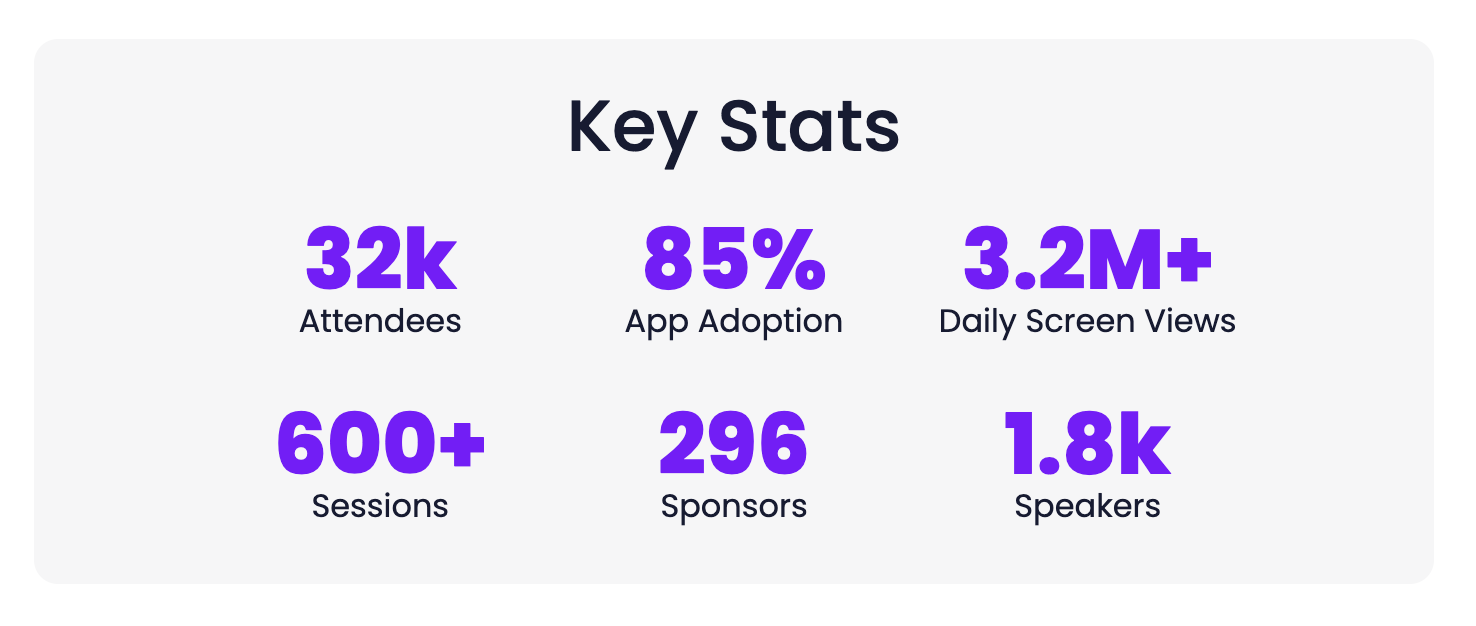
Atlassian runs global tours, flagship conferences, internal kickoffs, and partner events on Amego, all managed by one team in Amego Admin. Attendees reached session surveys right after check-in, and survey responses grew 10x over previous events. Lauren Wolf, Sr. Event Strategist, called Amego their "Goldilocks solution" and said that on security, "it was smooth sailing." Read the Atlassian success story.

Cloudflare: one app across global events

Cloudflare evaluated five mobile event apps before choosing Amego. Its sales kickoff reached 98% adoption with a 4.65+ average session rating, and its multi-track events ran with zero technical issues. Cloudflare runs 8+ events a year on the app. Read the Cloudflare story.

What these examples show

Both teams run a portfolio of events, not a single conference. That is the pattern worth testing in any vendor review: can one platform and one team handle flagship events, regional summits, and internal kickoffs? Our guide to how enterprise events use mobile apps at scale goes further.

How to Evaluate Enterprise Event App Vendors

A few patterns show up again and again in good enterprise selection processes.

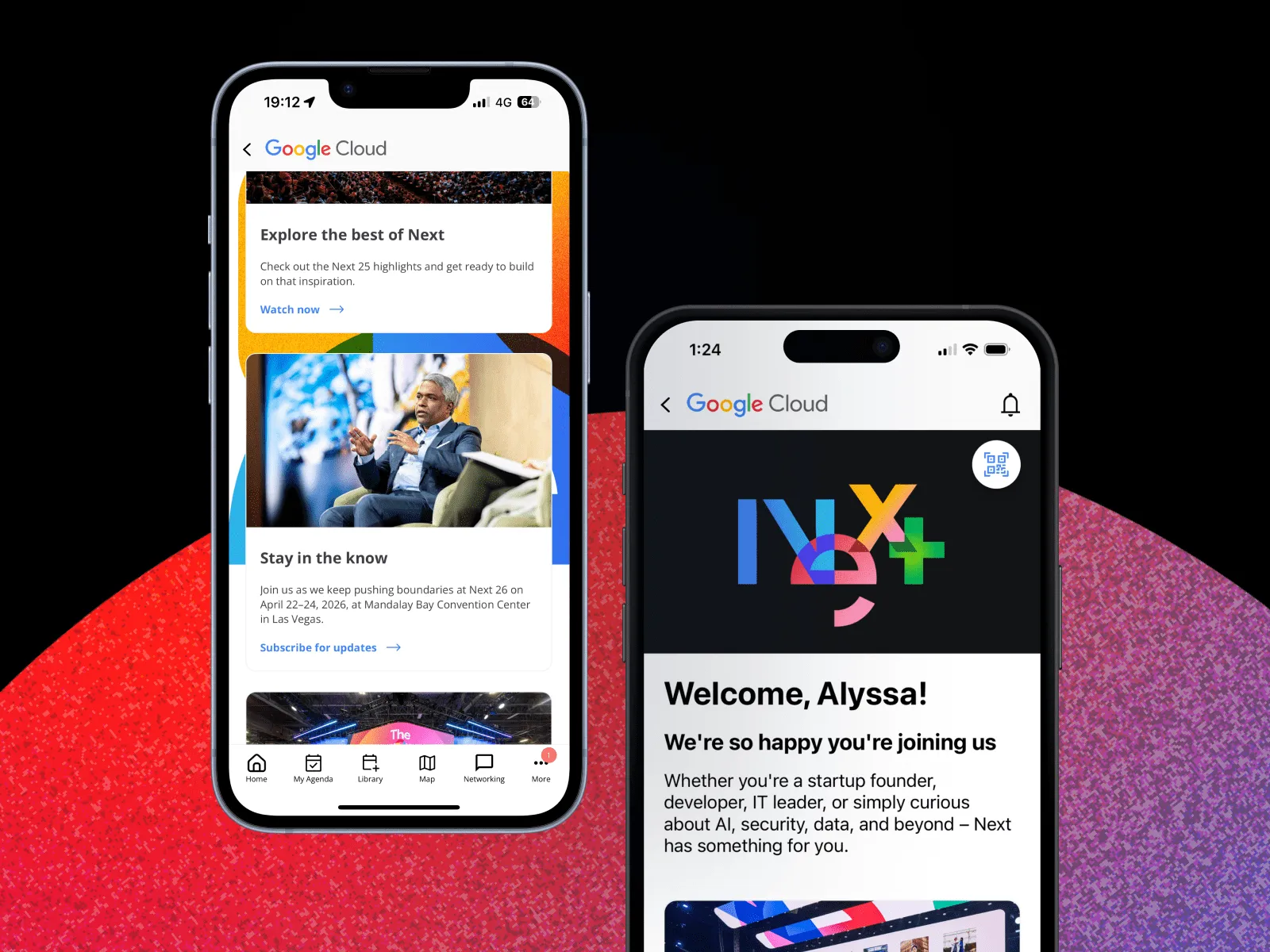
Ask for references at your size. If the vendor cannot name three customers running events the size of yours, keep looking. Amego's enterprise references include NVIDIA, Atlassian, ServiceNow, Google Cloud Next, Cloudflare, Palo Alto Networks, Docusign, Intuit, Visa, SAP, and more.

Run a live demo on your event. Walk the vendor through your actual agenda, sponsor list, and attendee segments. See how they would build it in Amego Admin, not a sandbox.

Get security involved early. Hand the SOC 2, pen test summary, and DPA to InfoSec in the first two weeks of the process. If the vendor cannot produce those on request, that is the answer.

Pressure test support. Ask how they would handle a last-minute keynote room change at 7 a.m. on day one. The specifics of the answer tell you a lot about the service model.

Think portfolio, not single event. Enterprise event programs are rarely one event. Price and plan for the full program, including regional summits and internal kickoffs.

Frequently Asked Questions

What is the best enterprise event app for large conferences?

The best enterprise event app is the one that holds up under load, clears your security review, integrates with your stack, and gives your team real support during showtime. For most enterprise conferences at 5,000 attendees and up, that short list includes Amego, Cvent, and a handful of others. Amego is purpose-built for enterprise events and is used by NVIDIA, Atlassian, ServiceNow, Cloudflare, Palo Alto Networks, and other large enterprise programs.

How much does an enterprise event app cost?

Enterprise event technology is typically priced from around $5,000 to several hundred thousand dollars a year, depending on attendees, number of events, integrations, security requirements, and support. Amego publishes plans starting at $2,499 per year (Base, 500 attendees included) and $4,999 per year (Elevate, 750 attendees included), with Enterprise quoted for larger programs. See the full cost breakdown above, or talk to our team for a quote.

What hidden costs should I plan for with an enterprise event app?

Beyond the subscription, plan for implementation and design work, per-integration or SSO fees, branded app store listings, lead scanning devices, attendee or usage overages, onsite support, and internal staff time. Ask every vendor to price these in writing before you compare quotes.

How do I budget for an enterprise event app?

Add platform fees, add-ons, services, and internal time, then divide by total attendees across all your events to get a cost per attendee. Hold back a contingency for late add-ons, and price year two before you sign.

Is an enterprise event app secure?

A proper enterprise event app should carry an independent SOC 2 Type II audit, align with GDPR, support SSO, and let your IT team review documentation. Amego is SOC 2 Type II audited and aligned with GDPR requirements, and SSO is available as an add-on. If you need regional data residency or penetration test summaries, ask for them in writing. See Amego's security and compliance page.

What integrations should an enterprise event app support?

At minimum: registration or event management platforms, CRM, marketing automation, SSO, and open APIs for custom workflows. Amego integrates with registration platforms including Cvent, Swoogo, and RainFocus. See the integrations page for the current list.

Can an enterprise event app be white-labeled?

Yes. A true enterprise event app ships as a fully branded, white-labeled experience with the client's icon, color system, typography, and store listings. Amego Classic and Sidekick are both fully white-labeled.

What is an AI event app?

An AI event app uses in-product AI to help attendees navigate the event, find sessions and people, and get real-time answers. Amego's Sidekick is an agentic AI layer built into the attendee experience. Enterprise customers can connect their own ChatGPT, Gemini, or Claude deployment for data privacy and control.

How long does it take to launch an enterprise event app?

It depends on event size, integrations, and how much brand customization you need. Ask each vendor for a realistic timeline for an event like yours, including content load, integrations, and security review, and start the search months ahead for a flagship event.

Why Enterprise Event Teams Choose Amego

Amego is the event app built for enterprise events. The platform covers the criteria above, from a fully branded native app and real-time content management to AI personalization, a SOC 2 Type II audit, and a published pricing model. Teams at NVIDIA, Atlassian, ServiceNow, Google Cloud Next, Cloudflare, Palo Alto Networks, Visa, SAP, Twilio, HPE, and more use Amego for their programs.

If you are evaluating enterprise event apps, bring us the hardest version of your program. We will show you how it runs in Amego Admin, with your branding, your integrations, and your attendee segments.

Ready to see what an enterprise event app should actually do? Talk to our team.

Good ideas.
Straight to your inbox.

New guides, benchmarks, and what we’re seeing on show floors. Written by event people, for ones running showtime.

Thanks for joining our newsletter.
Oops! Something went wrong.

Better Events Start With Better Technology

From planning to post-event insights, see how Amego helps you create connected, engaging attendee experiences.