
A single-track event has one schedule. Everyone attends the same session at the same time. The planning is intense, but the schedule itself fits on a single piece of paper.
A multi-track conference is a different beast. Sixty sessions across four days, six parallel tracks, three keynote formats, breakouts capped at 40, workshops requiring signup, a schedule change on Tuesday morning that ripples through six rooms and 300 personalized agendas. The complexity isn't just larger. It's structurally different.
Activity and schedule management for multi-track events is what separates the events attendees leave energized from the ones where they spend the whole conference confused about where to be. Here's what actually goes into managing it well.
Schedule management for a multi-track event is the ongoing work of designing, publishing, personalizing, and updating the program across multiple parallel tracks. It covers session design, room and capacity planning, session-picker experiences for attendees, personalized agenda generation, real-time updates, and the analytics that feed the next event's decisions.
Most of that work happens inside two pieces of your event technology stack : the event management platform, where registration, sessions, tracks, and speakers are configured, and the event app, where attendees experience the schedule. When those systems are properly integrated, event teams can keep session information and attendee agendas aligned without manually updating multiple platforms. When they aren't, managing schedule changes can quickly become someone's full-time job.
Multi-track events introduce complexity in a few specific places. Knowing them ahead of time is half the battle.
Session capacity and waitlists. Breakouts fill up. Workshops fill up faster. Without capacity limits, sessions overflow into hallways. With capacity limits, you also need a clear enrollment process and a plan for handling attendees who couldn't secure a spot. Whether waitlists live in your registration platform or another scheduling tool, the experience should be fair, predictable, and easy for attendees to understand.
Session conflicts. Attendees want to be in three rooms at once. That's a good problem to have, but it means the session-picker experience, conflict warnings, and recording strategy all need to be thought through. Making session content available afterward can help attendees catch up on what they missed. We've covered that approach in more detail in how event apps let attendees watch sessions live and on demand .
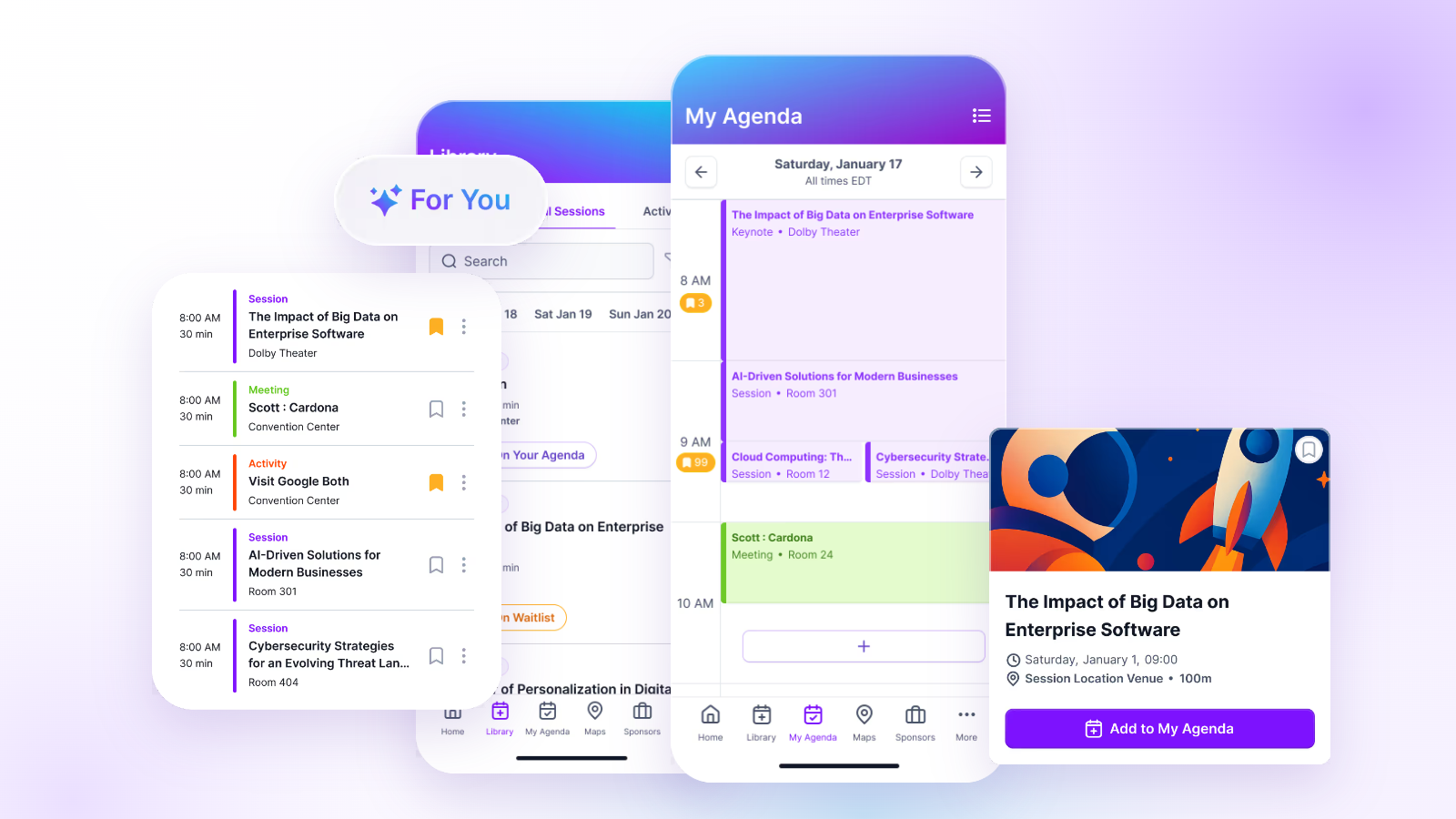
Personalized agendas. Attendees don't want a printed program listing 60 sessions. They want their five. Personalized event agendas , session recommendations, and the ability to save relevant sessions to a personal schedule are what turn a large program into something an individual can navigate.
Room and speaker changes. Something will change. A speaker will cancel, a room's AV will fail, a session will need to be moved. The team that can update these in one place and have the change propagate everywhere (app, signage, notifications) is the team that keeps attendees oriented. The team that has to update six documents manually is the team that ships stale information.
Cross-track dependencies. Some attendees follow tracks. Others hop between them. Some sessions require attending an earlier session as a prerequisite. When these dependencies aren't surfaced in the session picker, attendees make choices they later regret.
Tracks that overlap in intent. Two tracks with different names but overlapping content confuse attendees. Great multi-track planning treats track design as a curatorial choice, not a topic dump.
Building a solid multi-track schedule takes deliberate work across five threads.
Session design
The unit of the multi-track event is the session. Great sessions have a clear owner, a specific promise, and a duration that matches the format. Lightning talks might need 30 minutes, standard breakouts 45 to 60, and interactive workshops considerably longer. Descriptions should make it easy for attendees to understand what they'll learn and whether the session is right for them. "How we reduced onboarding time by 40%" tells an attendee considerably more than "The Future of Customer Experience."
Track structure
Tracks are curatorial choices, not filing categories. A good track structure helps attendees understand what belongs together and what to expect. The right number depends on your audience, program size, and how much content genuinely deserves its own category. Too few tracks can make the schedule difficult to navigate. Too many, and the distinctions start to blur. Build your tracks around meaningful attendee interests rather than dividing sessions into categories simply because you can.
Room and capacity planning
Room assignments should match expected attendance, and expected attendance should be modeled against historical registration data, topic popularity, speaker draw, and time of day. Pay particular attention to sessions scheduled immediately after lunch, popular speakers, and workshops with limited seating. Overshooting room capacity feels wasteful. Undershooting feels chaotic. Reserving one or two flexible rooms for reactive reassignment on show day gives your team room to adapt when actual attendance doesn't match the plan.
Personalized agendas and session picker
The session picker is one of the most important parts of the attendee experience. It has to be fast, filterable by track and format, easy to add sessions to a personal schedule, and clear about conflicts. With the right enrollment settings, your app can help prevent double-booking before attendees end up with two sessions at 2 p.m. If you're evaluating scheduling tools, our guide to the top features to look for in an event schedule builder covers the capabilities worth prioritizing.
Waitlists and standby lists
Every high-demand session needs a plan for what happens when it reaches capacity. Depending on your event management system, that could mean automatic waitlists, standby registration, or a managed process for reallocating canceled seats. Attendees should know whether they've secured a spot, how they'll find out if space becomes available, and what to do if a session remains full. Manual waitlist management might work for one workshop. It doesn't scale easily across a conference with dozens of overlapping sessions.
The multi-track schedule you published two weeks before the event is not the schedule that gets executed. Changes will happen. The teams that handle real-time updates well share a few habits.
One place to update, one place to publish. When a session moves from Room A to Room B, it should be updated in one place and appear updated everywhere. The app, the signage screens, the personalized agendas of attendees who signed up, and any printed materials. If updating in one place doesn't propagate everywhere, expect confusion.
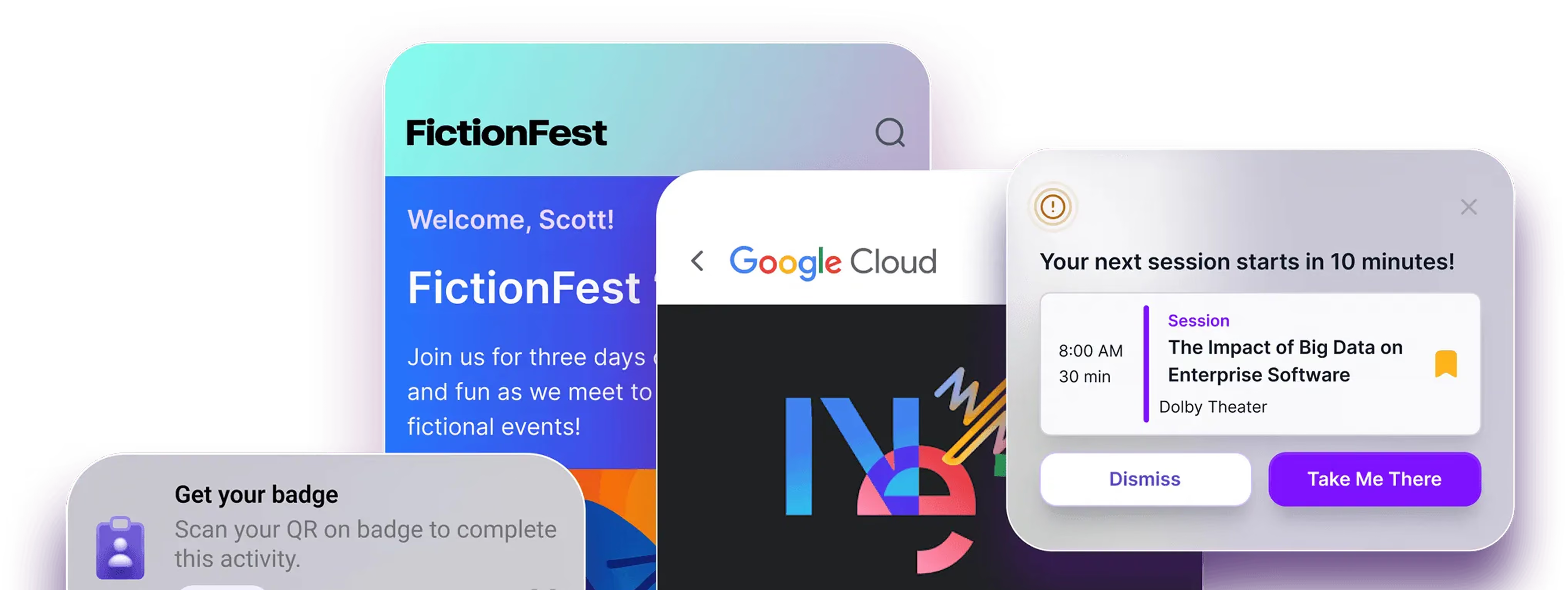
Push notifications for schedule-affecting changes. Attendees who saved an affected session should hear about important changes as soon as they're confirmed. Targeted event app push notifications let organizers communicate room changes, cancellations, and schedule updates to relevant attendees rather than sending every change to the entire conference. Make sure your team knows who is responsible for triggering those messages and how quickly they're expected to act.
Empowered on-site staff. The person closest to a schedule change should know exactly how to report it and who has permission to publish the update. If a speaker cancels or a room becomes unavailable, waiting for information to travel through multiple teams creates unnecessary delays. Tools like Amego Admin give authorized event staff control over app content and attendee communications, making it easier to respond as plans change.
A clear escalation path for larger changes. A room change is a small update. Canceling a keynote is a big one. Every team should have a documented protocol for who gets called for the bigger decisions and who publishes the change.
A dedicated comms plan for the second day. Attendees anchor their expectations on the first day. If the schedule changed overnight, a welcome email or morning notification recapping what's different on day two prevents the "wait, when did that move?" moments.
The schedule doesn't end when the session ends. What happens after each session is often where attendees get more value than they did in the room.
Session ratings and Q&A close-out. Collect feedback while sessions are still fresh in attendees' minds. With in-app surveys, polls, and Q&A , organizers can gather feedback, identify popular sessions, and capture unanswered questions for speaker follow-up. Make it easy to participate immediately after a session rather than asking attendees to remember their experience days late
Recordings and slides. Session recordings and slide decks should be available in the app within 24 hours where possible. Attendees who missed a session (or attended and want to share it) return to the app to access them, which extends app engagement well past the event.
Related session and content recommendations. "You attended X. You might like Y." The best event apps surface these recommendations in real time, driving cross-track engagement and helping attendees make the most of the program.
Speaker follow-up prompts. Attendees who want to connect with a speaker should be able to request it from the app. A great platform makes this a two-tap experience, not a hunt for the speaker's LinkedIn.
Amego is built for the specific demands of multi-track professional conferences. A few pieces of the platform worth noting.
Amego Admin for centralized event content management. Manage sessions, speakers, rooms, and other event content through Amego's CMS. When an external event management platform controls your conference schedule, integrations help bring that information into the attendee app, while Amego Admin gives your team control over the app experience and communications.
Native session picker and personalized agendas. Attendees browse sessions by track, format, or topic, add sessions to their personal schedule, and get warned when they've picked two sessions at the same time. Personalized agendas are the default, not an add-on.
Session capacity and enrollment controls. Set maximum enrollment limits, configure session visibility, and control who can enroll in specific sessions. For conferences using an integrated registration platform, coordinate waitlists and other registration workflows with the system responsible for managing them.
Targeted notifications for schedule changes. When rooms change, speakers are replaced, or sessions are canceled, event teams can send targeted push notifications and in-app messages to relevant attendees. Using enrollment data and audience segmentation helps keep communications timely without overwhelming everyone with unrelated updates.
Integrations with your registration platform. Amego integrates natively with Cvent, RainFocus, and Swoogo. Session content, speaker data, and attendee session preferences flow from registration into the app without manual entry. This matters a lot when your event uses Swoogo's session picker or RainFocus's session management. The Amego + Swoogo integration in particular is one of the tightest registration-to-app connections in the market.
Live analytics on session attendance and ratings. Session check-ins, ratings, and Q&A activity all flow to Amego Admin in real time. Program leads see what's landing and what's not while there's still time to react.
Sidekick™ AI companion for attendee guidance. Sidekick helps attendees navigate complex conference schedules by surfacing relevant sessions based on their interests, engagement signals, and event context. From personalized recommendations to suggestions that fill schedule gaps, Sidekick helps attendees spend less time scrolling through the program and more time experiencing the event.
See how enterprise teams have run their multi-track conferences on Amego in Atlassian's event app success story or Cloudflare's success story.
What is multi-track schedule management?
Multi-track schedule management is the work of designing, publishing, personalizing, and updating the program of a conference that runs multiple parallel tracks. It covers session and track design, room and capacity planning, session-picker experiences, personalized agendas, waitlists, real-time schedule changes, and post-session content and analytics.
How many tracks should a conference have?
Four to six is a common sweet spot for professional conferences. Fewer and attendees don't find enough that's relevant to them. More and the tracks start to blur, which reduces the curatorial value of the structure. Very large flagship events (10,000+ attendees) can support more, but only if each track has enough distinct content to justify it.
How do you handle session capacity at a multi-track conference?
Publish clear capacity limits, enable a waitlist experience in the app, notify waitlisted attendees when spots open, and reserve one or two flexibly-sized rooms for reactive reassignment on show day. Manual capacity management with a spreadsheet at the door does not scale past one or two sessions.
How do you manage last-minute schedule changes?
Use an event CMS that lets your team update sessions once and have the change propagate to the app, the signage, and attendees' personalized agendas automatically. Send targeted push notifications to only the attendees affected. Empower on-site staff to trigger updates from the room where the change is happening, rather than routing everything through a back-office team.
How does an event app support multi-track scheduling?
A great event app provides a session picker with filtering by track and format, personalized agendas per attendee, waitlist logic for capacity-limited sessions, real-time updates when the schedule changes, and post-session content (recordings, slides, ratings) that keeps attendees engaged after each session ends. Amego is built specifically for these demands.
Ready to see how Amego handles multi-track schedule management at scale? Talk to our team.

Sign up for our newsletter
Get insights delivered to your email.