Table of Contents:
- What Is the Best Event App for Conferences?
- What Corporate and Conference Event Apps Actually Do
- Attendee Size Scenarios: What Changes at 1K, 5K, and 10K+
- Top Event Apps for Conferences and Corporate Events
- Enterprise Buying Criteria for Conference Apps
- Integrations That Matter
- What Should a Corporate Event App Include?
- What to Ask Before You Choose
- How We Evaluated These Event Apps
- The Bottom Line
- Corporate Event App FAQ
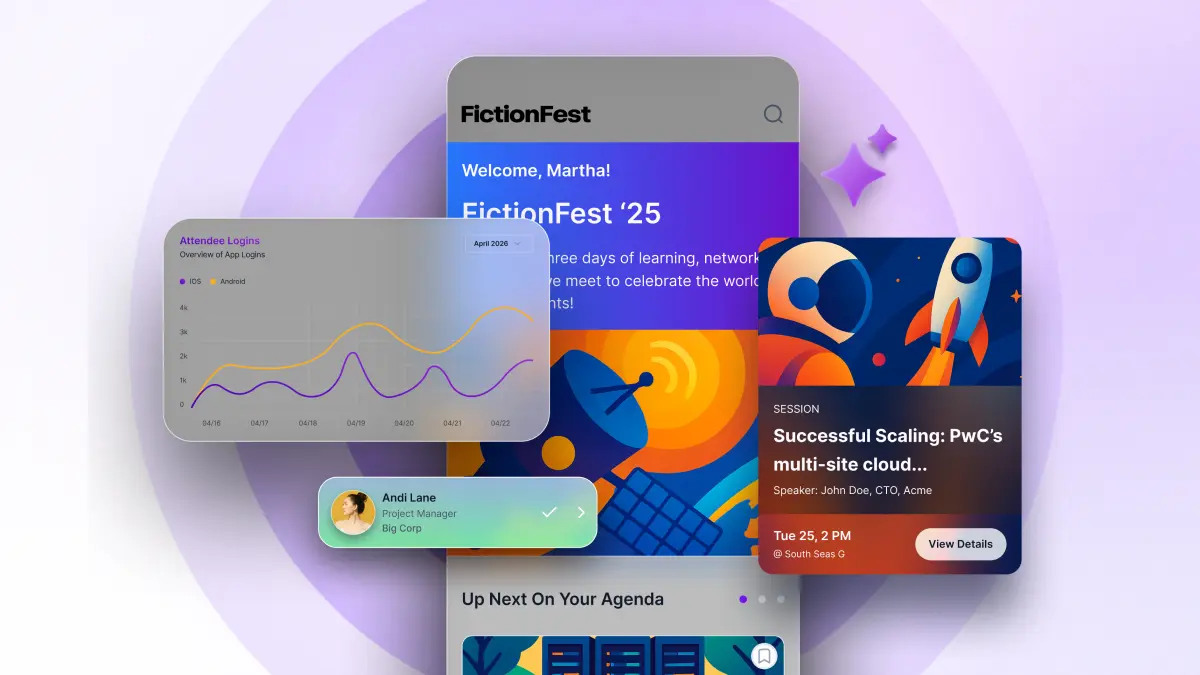
Whether you're running a 200-person user conference or a 5,000-attendee global summit, the event app you choose will shape how attendees experience every moment, from registration to the closing keynote. The best conference event apps don't just digitize a paper program. They reduce friction, surface the right information at the right time, and give your team real-time visibility when things inevitably shift.
This page is a vendor comparison for conference and corporate events. If you want the full category overview, see the best event apps of 2026. For a decision framework, read how to choose an event app for a conference.
Planning for thousands of attendees? Our guides on choosing an event app for a large conference and the enterprise event app buyer's guide go deeper on process and RFP criteria.
What Is the Best Event App for Conferences?
The best event app depends on your event's size, goals, and technology stack. Large conferences and corporate events typically need branded agendas, real-time communication, networking, personalization, sponsor tools, analytics, security, and integrations, while smaller events may prioritize fast setup and simplicity.
Best Conference Event Apps at a Glance
What Corporate and Conference Event Apps Actually Do
Before comparing platforms, it helps to be clear on what "best" means in practice. For conference and corporate event teams, the best event apps share a few essential traits:
- They're easy for attendees to use without instructions. If someone has to ask how to find the session schedule, you've already lost them.
- They keep content current. Last-minute speaker swaps, room changes, and agenda updates are part of every event. The app has to handle them without chaos.
- They give your team visibility. Knowing what attendees are engaging with, and what they're not, matters during the event, not just in the post-event report.
- They scale without falling apart. An app that works fine at 300 attendees shouldn't struggle at 3,000.
Most platforms check some of these boxes. The ones that check all of them are worth the conversation.
Attendee Size Scenarios: What Changes at 1K, 5K, and 10K+
The feature set that works at 500 attendees breaks at 5,000. The feature set that works at 5,000 becomes a liability at 50,000. Here is how the buying criteria shift as the event grows, with vendor shortlists for each range.
500 to 1,000 attendees: single track, one admin
At this scale, one person usually manages the whole app and content set. The priorities are fast setup, a clean attendee experience, and a networking tool that gets used. Enterprise security is nice to have, not table stakes. Shortlist: EventMobi, Whova, Amego Base ($2,499/yr).
1,000 to 5,000 attendees: multi-track, dedicated event tech owner
Multi-track programs with breakout rooms, sponsor zones, and real-time segmentation. Push notification segmentation matters now; sending the same message to everyone creates attendee churn. One or two admins and a professional-services onboarding or in-house champion. Enterprise security review is usually required. Shortlist: Amego Elevate, Cvent Attendee Hub, Bizzabo.
5,000 to 10,000 attendees: full brand team, full sponsor program
Deep multi-track programs with concurrent keynotes and breakout sessions, dozens of sponsors, and a brand team involved. Full white-label (not just a container with a logo swap) is a brand requirement now. SSO, SCIM, and SOC 2 Type II documentation are typically preconditions to buying. Live event-day support with a named contact matters more than any feature. Shortlist: Amego Enterprise, Cvent Attendee Hub, RainFocus (if marketing attribution is the headline KPI).
10,000+ attendees: flagship enterprise, multiple admins, operations team
Flagship programs like Google Cloud Next, ServiceNow Knowledge, Atlassian Team, or Palo Alto Networks Ignite. The app has to perform under peak load during keynote push bursts, support dozens of sponsor configurations, integrate with multiple registration systems and CRM, and give the brand team control over app icon, home screen, navigation, and typography. A dedicated customer success manager, a staffed event-day war room, and SLAs on push delivery and admin availability are standard requests. Shortlist: Amego Enterprise, Cvent Attendee Hub, Eventbase (for consumer-adjacent flagship events). Amego serves this profile for Atlassian (20+ global events on one app with one team, 10x more survey responses), Cloudflare (98% adoption, 4.65+ average session rating), ServiceNow, Google Cloud Next, Palo Alto Networks, Visa, SAP, Zscaler, Confluent, Sitecore, HPE, Twilio, Docusign, Intuit, and Nvidia.
Top Event Apps for Conferences and Corporate Events
1. Amego
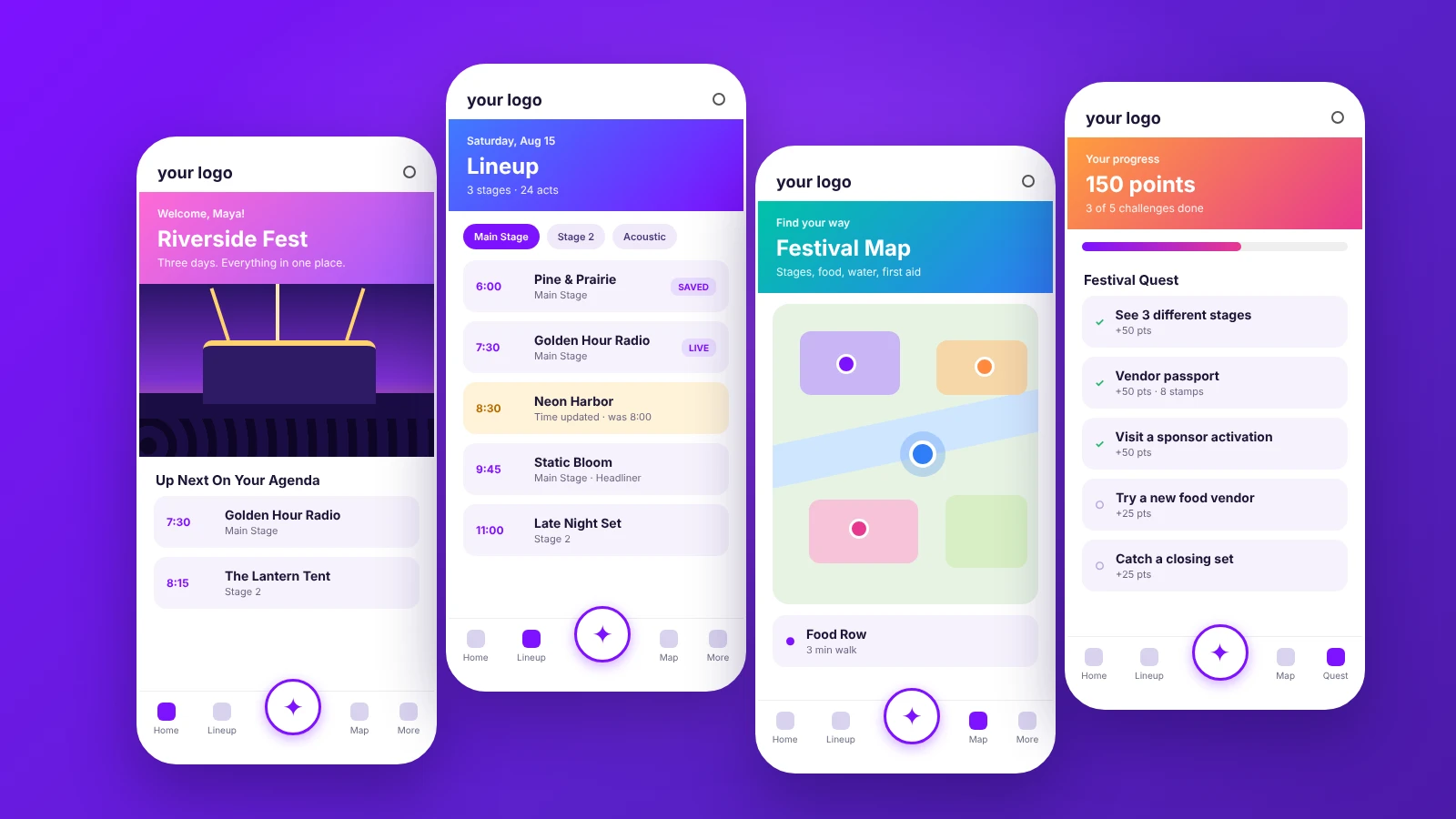
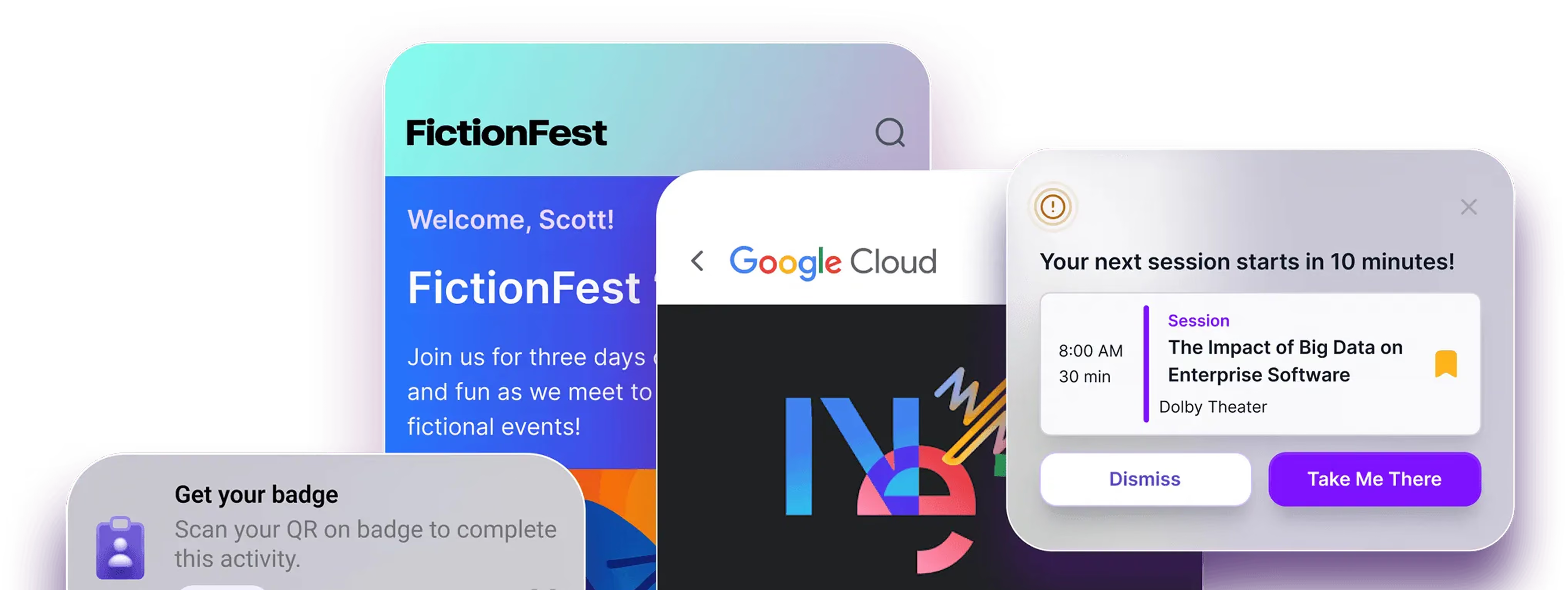
Amego is built specifically for professional events: conferences, corporate meetings, trade shows, and multi-day summits. It combines a fully branded mobile event app with an AI companion called Sidekick that helps attendees navigate schedules, find connections, and get answers in real time without hunting through menus.
What makes Amego stand out for enterprise teams is the depth of the platform: attendee management, gamification via Quest, real-time push notifications, sponsor features, and an admin tool (Amego Admin) that lets your team make live updates without touching a developer. For events where brand consistency matters, Amego Studio is available as an add-on for custom design work.
The Sidekick AI companion is worth calling out specifically. It doesn't just surface FAQs. It helps attendees do things like find sessions based on their interests, connect with other attendees who share their goals, and get just-in-time nudges when a session they care about is about to start. That's the difference between an app people open once and one they return to throughout the event.
See how event teams have used Amego in practice on the success stories page. Atlassian runs 20+ global events on one app with one team, and Cloudflare reported 98% adoption for its sales kickoff.
On G2, reviewers rate Amego higher than Whova on average user adoption (76% vs. 57%) and quality of support (100% vs. 94%), and higher than Cvent Attendee Hub on quality of support (100% vs. 88%). Amego has fewer G2 reviews than the larger vendors, so read the reviews yourself. See the full breakdowns in our Whova alternatives and Cvent Attendee Hub alternatives guides.
Best for: Mid-size to large conferences, corporate events, enterprise teams running recurring events.
2. Whova
Whova is one of the more established names in the event app space, with strong community and networking features. The attendee networking tools, particularly the community board, tend to drive real engagement, especially at academic conferences and association events.
It's a solid choice for events where peer-to-peer connection is the primary value, though teams running highly branded events sometimes find the customization options limited compared to purpose-built platforms.
Best for: Association conferences, academic events, community-driven gatherings.
3. Cvent
Cvent is a widely used enterprise event management suite, and its app is part of a much larger ecosystem. If your organization is already using Cvent for registration, hotel sourcing, and event logistics, the app makes sense as a way to stay within one platform.
The trade-off is that Cvent's breadth can come with complexity. Teams managing a single annual conference often find it more than they need. Teams running dozens of events a year and needing deep integration with other enterprise systems often find it essential.
Best for: Large enterprise organizations with complex, multi-event programs and existing Cvent infrastructure.
4. Bizzabo
Bizzabo has made strong moves in the B2B event space, with good integrations into marketing and CRM platforms. Its data and analytics capabilities are particularly useful for demand-gen teams who want to connect event engagement to pipeline.
Best for: B2B marketing teams running events as part of a broader demand generation program.
5. Eventbase
Eventbase has a long track record with large-scale conferences, particularly in the tech sector, and is often considered by teams whose primary requirements are scale and technical customization.
Best for: Large conferences with complex technical requirements.
Enterprise Buying Criteria for Conference Apps
Procurement, security, and brand teams will raise most of these themselves. For enterprise event tech buyers, use this as the shortlist your RFP needs to force every vendor to answer.
Security and compliance
SOC 2 Type II (not Type I), GDPR alignment with a signed DPA, data residency options (US, EU, APAC), encryption at rest and in transit, documented penetration test cadence, and a public security page. Enterprise event apps should offer SSO (SAML and OIDC), SCIM provisioning, role-based access, and audit logs. Amego publishes its approach on the security and compliance page.
Scale and performance
Documented concurrent-user capacity, push notification delivery under peak keynote load (10,000+ devices in under 60 seconds is a reasonable threshold), search response time at full catalog depth, and offline-mode behavior when venue Wi-Fi degrades. Ask for a reference customer at your attendee size.
Brand controlFull white-label native iOS and Android apps published under your developer accounts, not a container with a logo swap. Full customization of app icon, home screen, navigation structure, and typography, not just colors. See our white label event apps guide for the depth comparison.Live-event support
Named customer success manager, documented SLAs on response time, war-room availability during event week, and a documented escalation path. The question that separates vendors: who can you call at 7am on day one when something is wrong?
Admin velocity
Content changes should land on attendee devices in seconds, not require an app re-submission. Non-technical admins should be able to update the schedule, add a speaker, change a room, and send a targeted push notification without a developer. Amego Admin is designed around this expectation.
Multi-event and licensing
Many enterprise programs run 10 to 50 events a year. The platform should support multiple events under one account, with cloning tools to duplicate event setups and licensing that does not penalize scaling the program.
Integrations That Matter
Enterprise conferences live inside a stack. The app that integrates cleanly with the rest of it saves event week; the app that requires a nightly CSV export does not. These are the categories to check.
Registration platforms
Native, bidirectional sync with Swoogo, Cvent (if not using Attendee Hub), RainFocus, and custom registration via API. Session data, attendee attributes, and registration records should stay current throughout the event cycle. Amego's integration layer covers these.
Marketing automation and CRM
Marketo, HubSpot, Salesforce (Pardot and Marketing Cloud), and Eloqua. Session attendance, engagement, and lead-scanning data should feed back into campaigns and attribution reporting.
Identity providers (SSO)
Okta, Entra ID (Azure AD), OneLogin, Ping, and generic SAML and OIDC. SCIM provisioning on top of SSO is a common enterprise requirement for internal events and private attendee tiers.
Analytics and warehouses
Export to Snowflake, Databricks, BigQuery, or S3 for teams that pipe event data into company-wide BI. Native dashboards cover the daily questions; raw exports cover everything else.
Collaboration and chat
Slack and Microsoft Teams integrations for the event ops team: alerts on content changes, moderator queues for Q&A, and sponsor lead notifications land where the team already works.
Lead retrieval and badging
Native lead scanning that pushes directly to the sponsor's CRM, with qualification fields each sponsor can define. For badge printing, Bizzabo (Klik), Boomset, OnArrival, and Amego's native badge printing are the common choices.
What Should a Corporate Event App Include?
The best corporate event apps combine day-of utility with post-event value. Here's what to look for feature by feature.
Personalized agenda
Attendees should be able to build their own schedule, filter by track, and see recommended sessions based on their role and interests. A generic list of every session in every room forces attendees to do work the app should do for them.
Real-time notifications
Push notifications that reach the right attendees at the right moment: room changes, session starts, sponsor promotions, safety alerts. The best apps let your team target notifications by track, role, or behavior instead of blasting everyone.
Networking
Attendee directories, profiles, meeting scheduling, and matchmaking. Networking is one of the top reasons people attend conferences; a directory alone doesn't cut it. Look for tools that help attendees find the three people worth meeting, not scroll through 3,000.
Interactive maps
Multi-floor venues, expo halls, and campus events need maps attendees can zoom, search, and use to route to a session or booth. Static PDFs printed in the badge holder are not maps.
Polls, Q&A, and surveys
In-session engagement, audience Q&A, and lightweight surveys keep attendees participating rather than passively watching. Native features beat bolt-on integrations; they're one login and one data source.
Gamification
Points, challenges, leaderboards, and rewards for behaviors that matter: attending sessions, visiting sponsors, connecting with peers. Amego's Quest is one example of gamification built around session attendance, booth visits, and challenges.
AI recommendations
AI that recommends sessions, people, and content based on an attendee's profile, interests, and in-event behavior. Done well, it turns a dense agenda into a personalized experience without any manual filtering.
Sponsor experiences
Branded sponsor pages, in-app placements, promoted content, and premium sponsor cards. Sponsors pay for visibility and leads; the app should give them measurable both.
Lead capture
QR-code scanning, badge scanning, or in-app lead forms that push directly into the sponsor's CRM. Manual lead export from a spreadsheet costs sponsors real pipeline.
Analytics
Dashboards for session attendance, engagement depth, notification open rates, sponsor scan counts, and networking activity. Post-event reporting should be one click, not a data pull and a spreadsheet.
Integrations
Native connections to your registration platform, CRM, SSO provider, and marketing automation. The more the app integrates with your existing stack, the less your team spends event week on manual data sync.
Enterprise security
SOC 2 Type II, GDPR, SSO, role-based access, and data residency options. For customer conferences and internal events with sensitive content, security is a gating requirement, not a feature.
What to Ask Before You Choose
Every platform looks good in a demo. Here are the questions that separate good demos from good fits:
How does the app handle last-minute changes? Ask for a live walkthrough of making a session change or pushing an emergency notification. How many steps does it take? How fast does it appear to attendees?
What does the attendee setup experience look like? Walk through the download and onboarding flow yourself. If it takes more than two minutes to get oriented, attendees won't bother.
What support is available during the event? Email ticketing is fine for before showtime. The question is who you can call when something goes wrong at 8am on day one.
Can it grow with you? If you're running three events this year and planning fifteen next year, you need a platform that scales in terms of both attendee capacity and what your team can manage.
What does a real event look like? Ask for references from events similar to yours in size, format, and industry. A platform that's great for festivals isn't necessarily great for corporate summits.
How We Evaluated These Event Apps
Full disclosure first: Amego is one of the platforms in this list, and this article is published on the Amego blog. That makes it worth being explicit about how the comparison was put together.
Each platform was assessed against the same nine criteria that matter for enterprise conferences and corporate events:
- Event size, from small internal meetings to very large flagship events.
- Features across the core app experience: agenda, notifications, maps, sponsor placements.
- Enterprise capabilities: multi-event support, admin roles, white-label branding, and localization.
- Personalization, including AI recommendations, saved schedules, and role-based experiences.
- Integrations with registration platforms, CRM, SSO, and marketing automation.
- Engagement tools: polls, Q&A, surveys, and gamification.
- Networking: matchmaking, meeting scheduling, and messaging.
- Analytics depth and speed of reporting.
- Security: SOC 2, GDPR, SSO, and data residency.
Where a competitor's strength is greater than Amego's for a specific use case (Whova for association community, Cvent for full-suite event management, Eventbase for very large technical conferences), that's called out. The intent isn't to declare a winner. It's to help event teams shortlist the platforms that fit the shape of their event.
The Bottom Line
The best business event apps for conferences and corporate events share one thing: they reduce uncertainty for attendees and for your team. Attendees know where to go and what's happening. Your team can make changes without breaking things. And everyone (sponsors, speakers, exhibitors) has a better experience because the logistics stay invisible.
If you're evaluating platforms for your next event, start with what matters most to your attendees and work backward from there. The technology should serve the experience, not the other way around.
Corporate Event App FAQ
What is a conference event app?
A conference event app is a mobile or web app used by attendees at a conference to access the agenda, session details, speaker bios, maps, networking, notifications, and sponsor content. Modern conference apps also handle in-session engagement (polls, Q&A, surveys), gamification, and analytics for the event team. For large or multi-day conferences, the app is usually the primary interface attendees use throughout the event.
What is a corporate event app?
A corporate event app is a branded mobile or web app used at company conferences, sales kickoffs, and multi-day summits to give attendees the agenda, speakers, networking, notifications, and sponsor content in one place. Modern platforms also handle check-in, lead capture, gamification, and real-time analytics for the event team.
What is the best app for corporate events?
The best app for corporate events matches your event's scale, brand requirements, and integration needs. For fully branded enterprise conferences with AI-powered personalization and real-time content management, Amego is used by teams at Atlassian, Cloudflare, Google Cloud Next, ServiceNow, Docusign, and Nvidia. For association events with community boards, Whova is a common pick. For teams already inside the Cvent ecosystem, Cvent Attendee Hub fits. Start with what you need the app to do, not with the vendor name.
What is the best event app for a large conference?
For large conferences above 5,000 attendees, Amego and Cvent Attendee Hub are the realistic enterprise picks. The criteria that matter are full white-label branding, SOC 2 Type II and SSO, native integrations with registration (Swoogo, Cvent, RainFocus) and CRM (Marketo, HubSpot, Salesforce), and documented performance under peak keynote push load. Amego serves Atlassian, Cloudflare, Google Cloud Next, ServiceNow, Palo Alto Networks, Visa, SAP, Zscaler, and Nvidia at this scale.
What integrations should an enterprise conference app support?
Native, bidirectional sync with registration (Swoogo, Cvent, RainFocus), marketing automation (Marketo, HubSpot, Eloqua), CRM (Salesforce, including Pardot and Marketing Cloud), SSO providers (Okta, Entra ID, OneLogin, generic SAML and OIDC), SCIM provisioning, warehouse export (Snowflake, Databricks, BigQuery, S3), and collaboration tools (Slack, Microsoft Teams). Lead scanning should push directly into the sponsor's CRM.
What features should a conference app include?
At a minimum: a personalized agenda, real-time push notifications, an attendee directory and networking tools, interactive maps, polls and Q&A, sponsor pages, lead capture, and analytics. Enterprise conferences also need SSO, SOC 2 Type II and GDPR compliance, native integrations with registration and CRM, and AI-powered recommendations that help attendees navigate a dense agenda without doing all the filtering themselves.
How much does an event app cost?
Pricing varies with features, attendee volume, branding, and number of events. Amego's published plans start at $2,499 per year for Base (500 attendees included) and $4,999 per year for Elevate (750 attendees included), with Enterprise quoted for larger programs. Add-ons such as lead scanning are priced separately. See the Amego pricing page for current details.
Free vs paid: when is free enough?
Free tiers can work for small internal meetings and single-day, agenda-only events. As soon as you need custom branding, push notifications, networking, sponsor content, or SSO, you're in paid territory. Amego's Spark plan is free for events with 50 attendees or fewer. Any corporate event that customers, partners, or executives will see is worth a paid platform.
Do we need white-label branding?
If the event is customer-facing, sponsor-facing, or represents the company externally, yes. A generic-looking app undermines the brand experience you spent months building. If it's an internal offsite or small team meeting, off-the-shelf branding is fine.
How long does implementation take?
It depends on how much content you have ready and how many integrations you need. Simple apps can launch quickly, while custom-branded enterprise apps with registration, CRM, and SSO connections take longer, so plan on a few weeks and start earlier for your first event. Subsequent events run much faster once the template is set.
How do Amego, Whova, and Cvent Attendee Hub compare?
Whova is known for community boards and peer networking, Cvent Attendee Hub fits teams already running events in Cvent, and Amego focuses on fully branded, AI-personalized experiences for enterprise conferences. Our Whova alternatives, Cvent Attendee Hub alternatives, and EventMobi alternatives guides break down each comparison.
See how Amego works for teams like yours →
Looking across every event type? See our guide to the best event apps of 2026.

Sign up for our newsletter
Get insights delivered to your email.